

AI Page Optimizer
One page in, a page AI can quote out.
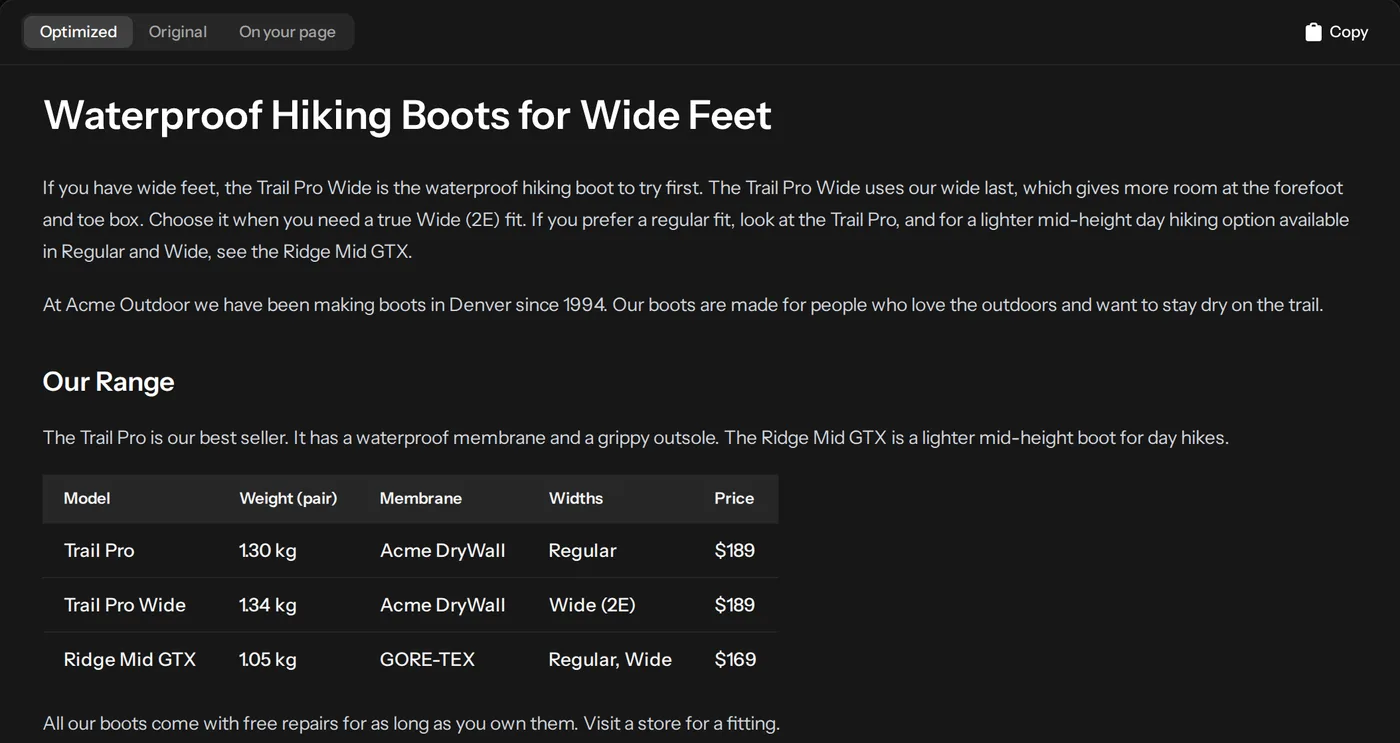
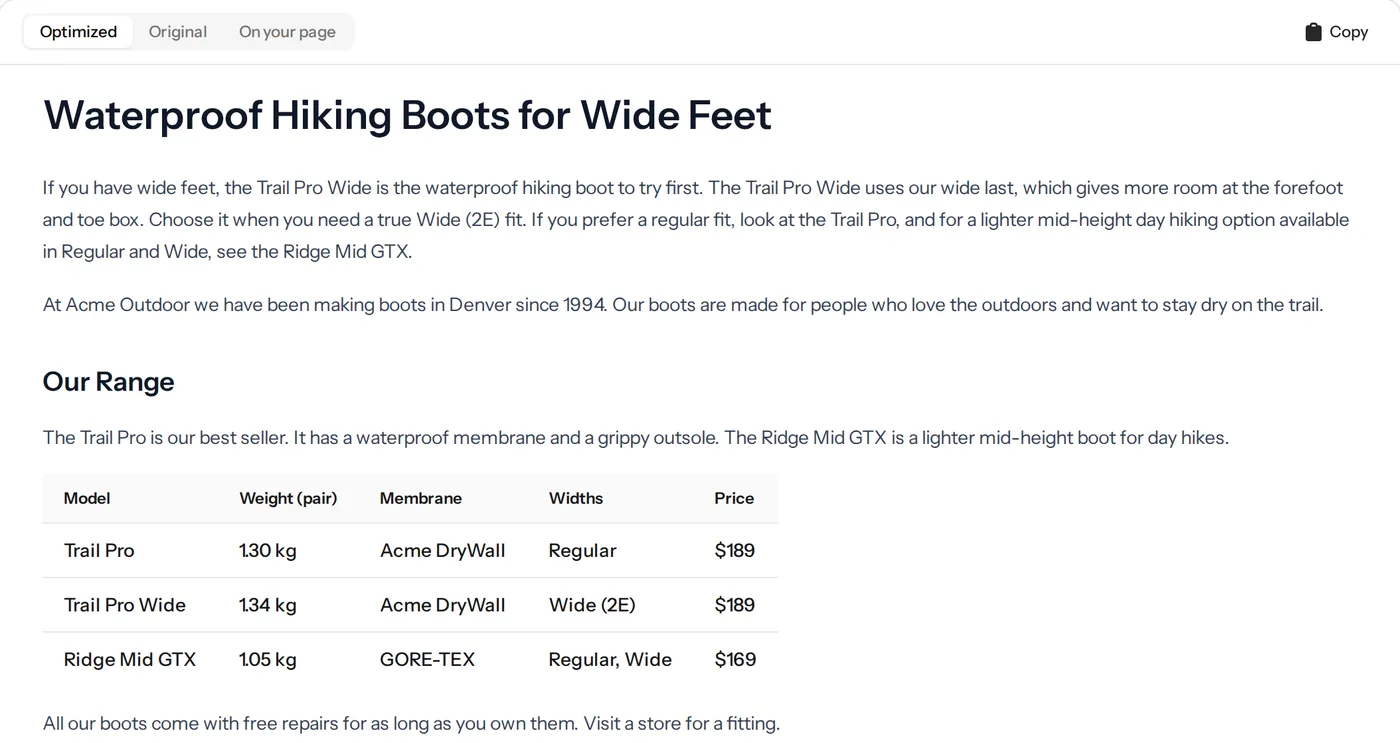
Give it a page and the question it should win. AI Page Optimizer audits the page, rewrites it so AI engines can answer from it, checks every fact against the original and shows you each change with the reason behind it.
- Facts checked against your page
- Every change explained
- Nothing published without you
Prefer a walkthrough? Book a demo →


How it works
From a URL to a reviewed draft.
-
Add a page and a question
Any URL on your site and the question you want it to answer.
-
It audits the page
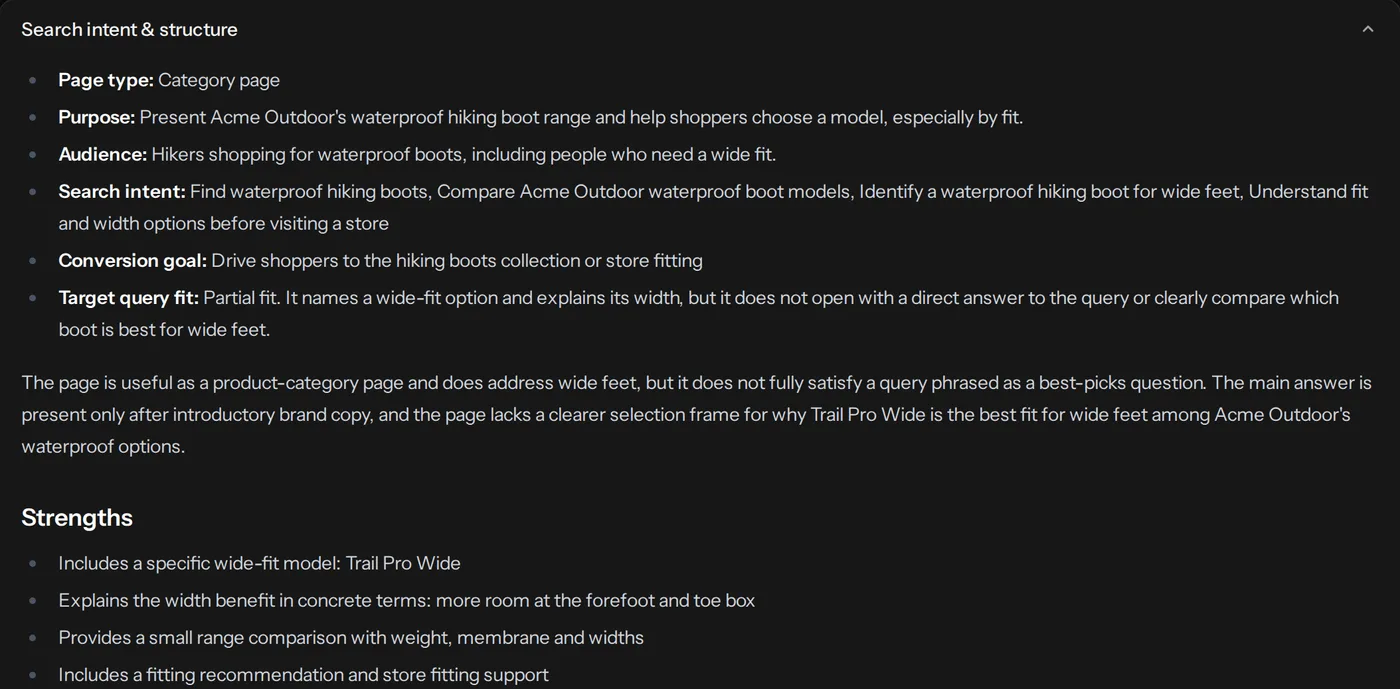
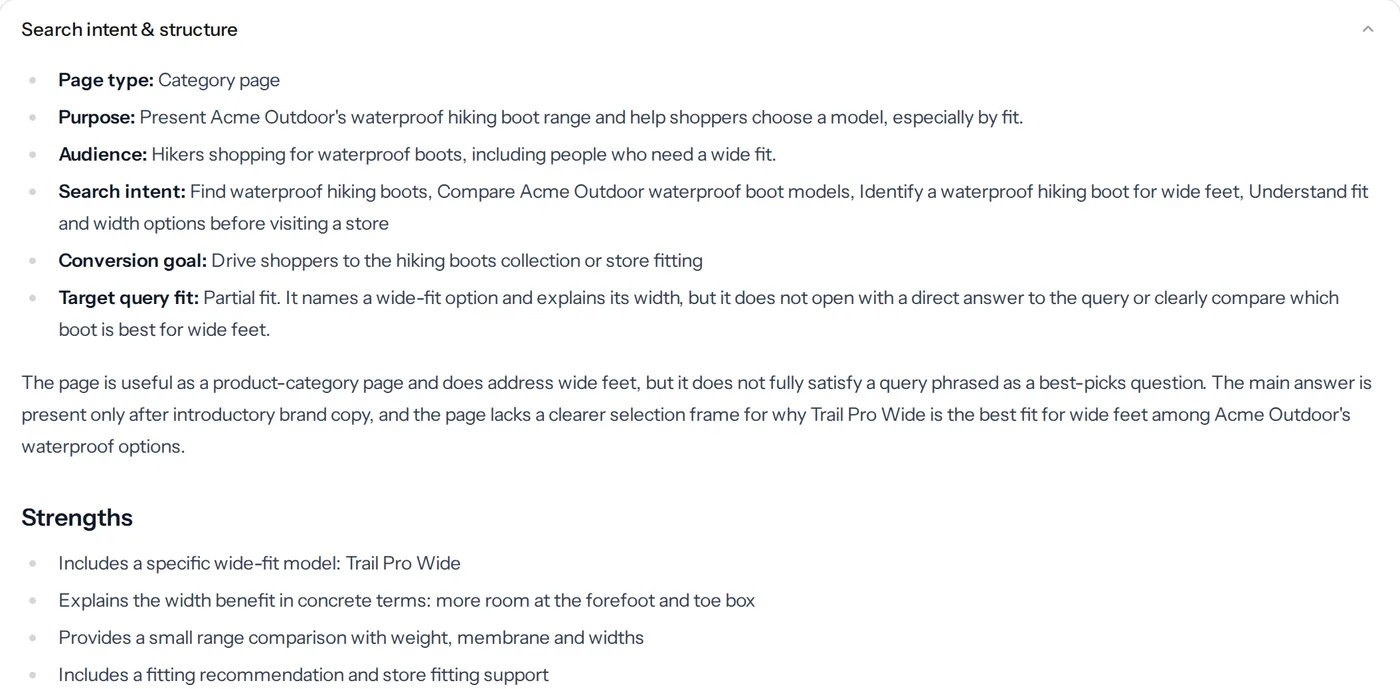
Search intent, structure, missing answers and claims without support.
-
It rewrites the page
A full draft that answers the question first, keeping your facts, tables and links.
-
It checks the draft
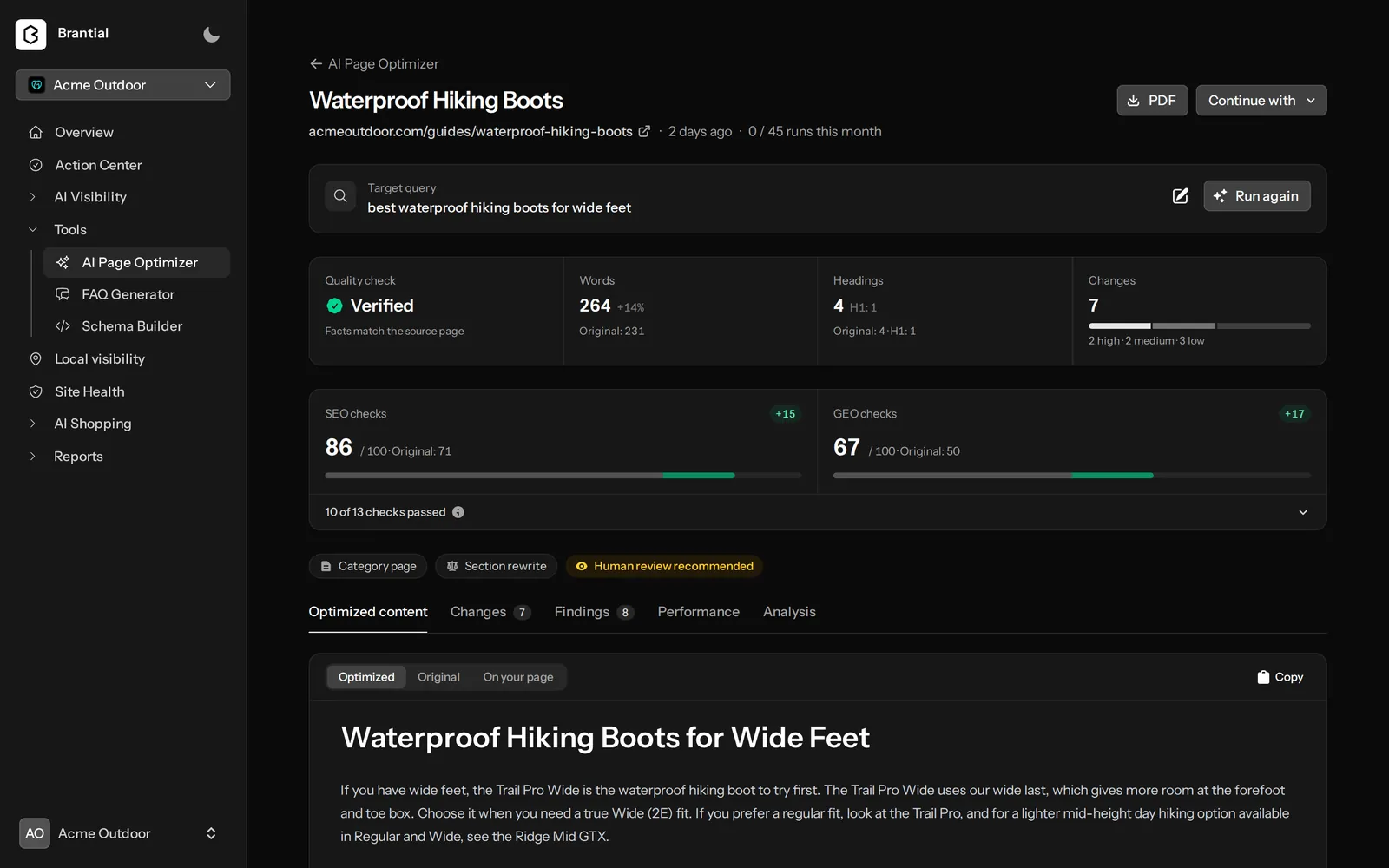
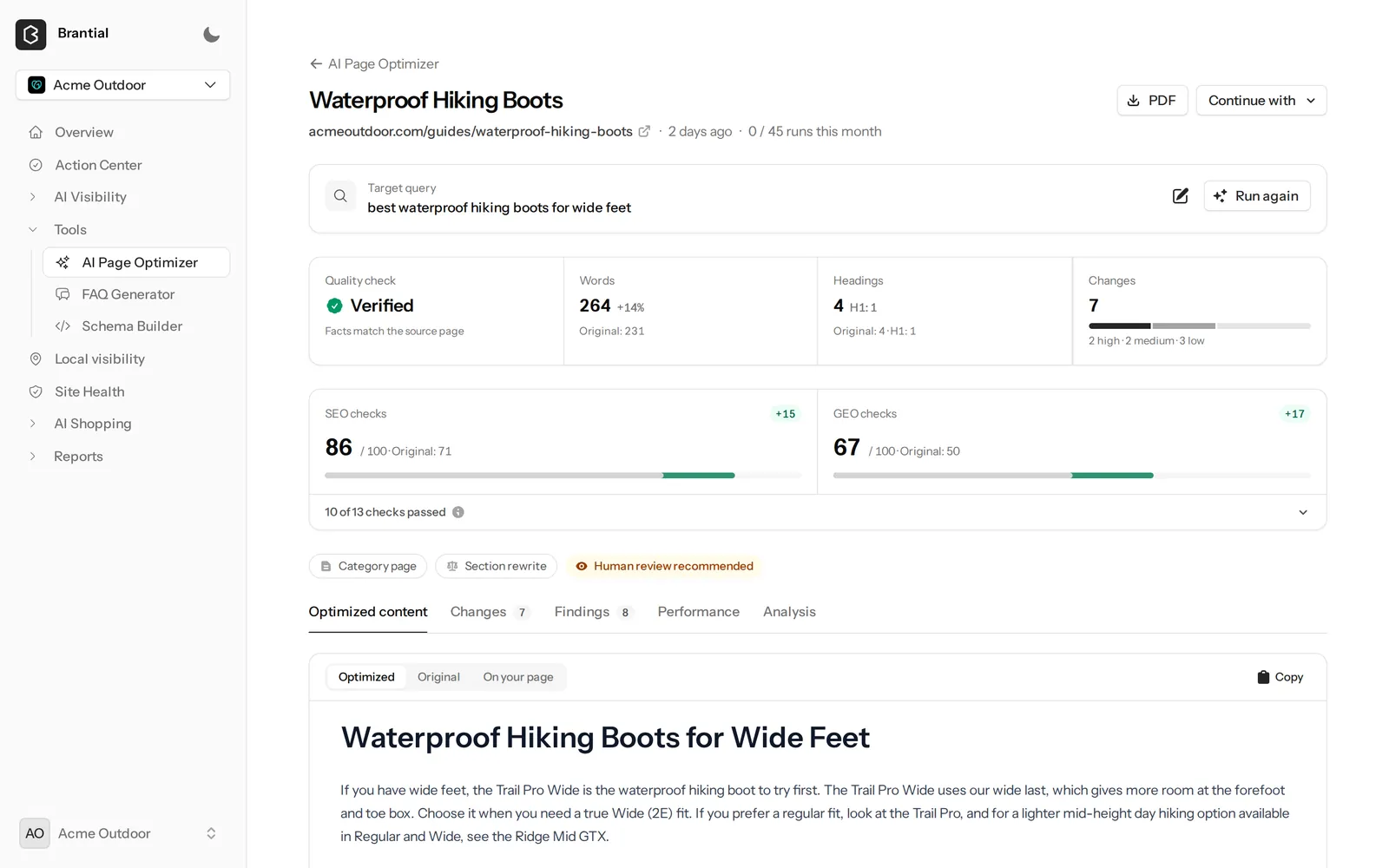
Every fact is compared with the original before you see the result.
See it in the app
Click through the real screens.
The same screens you get, with demo data.
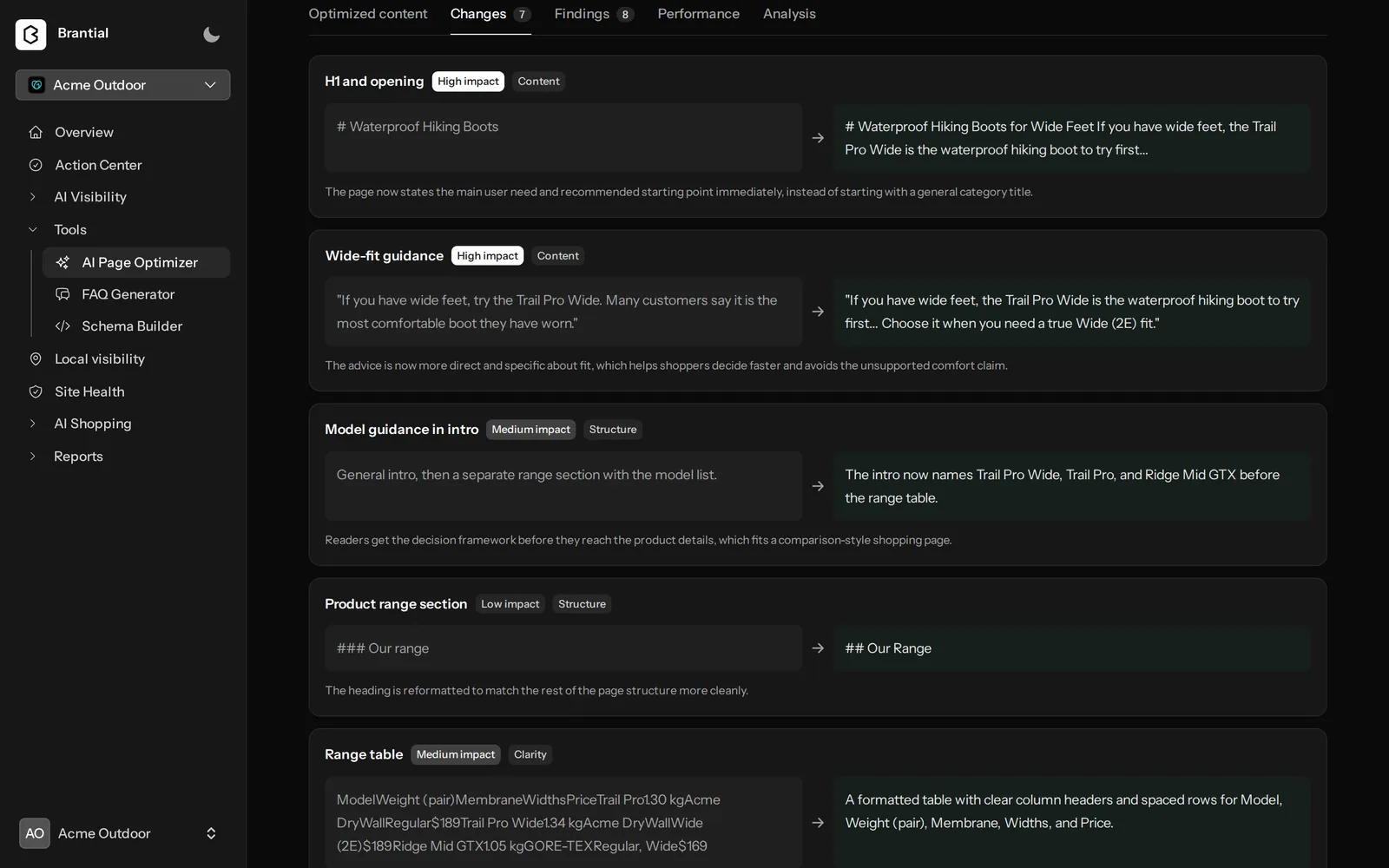
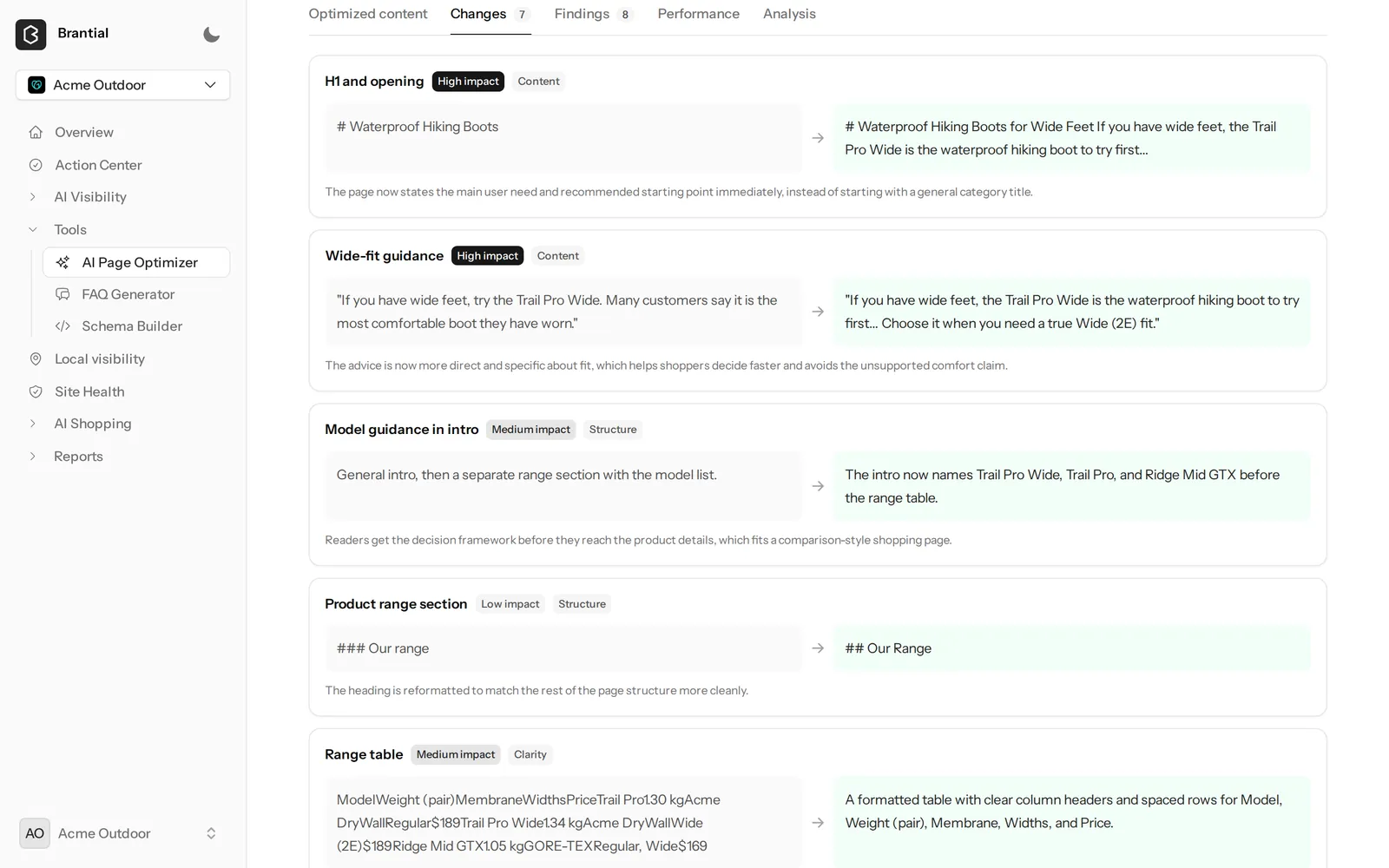
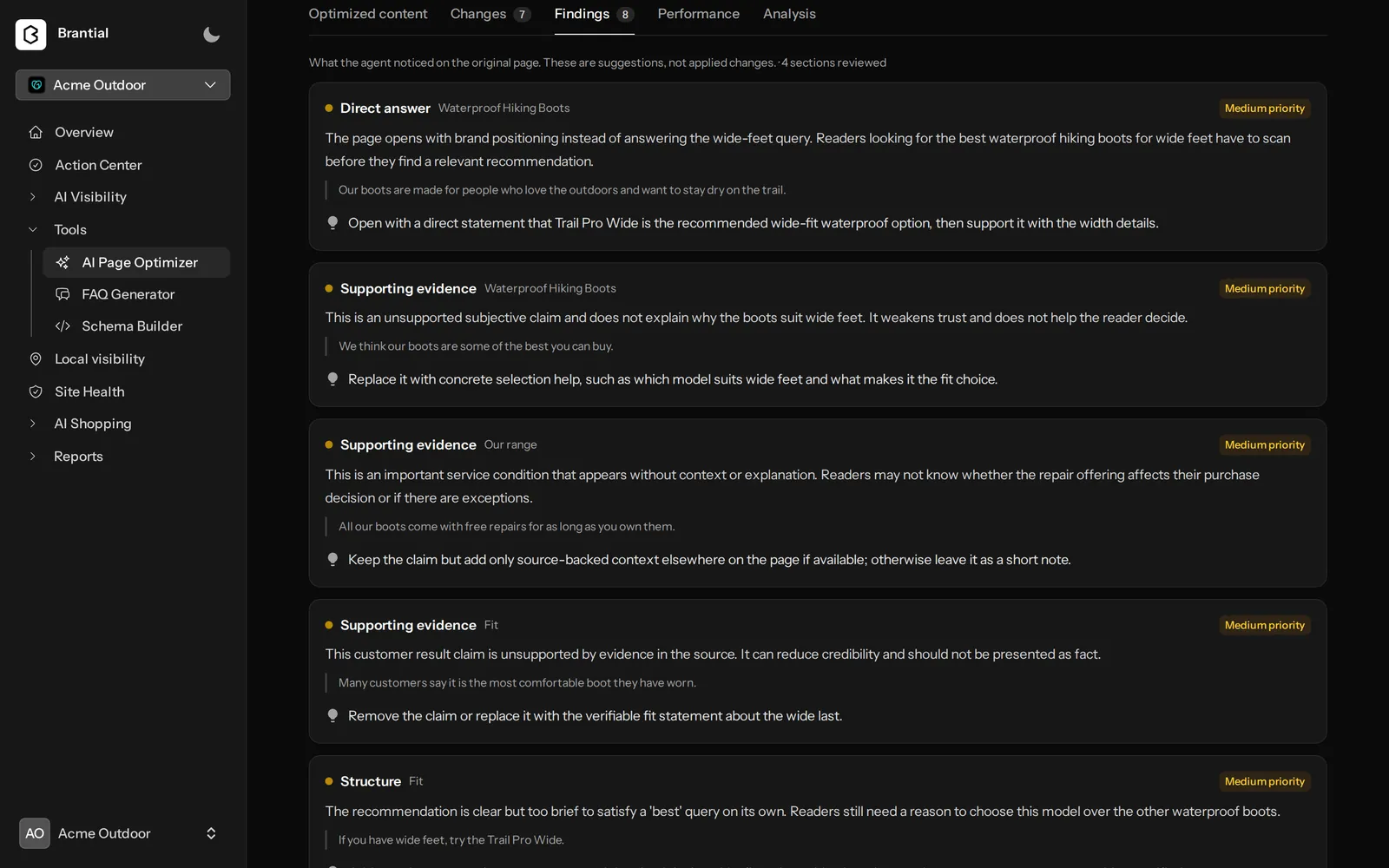
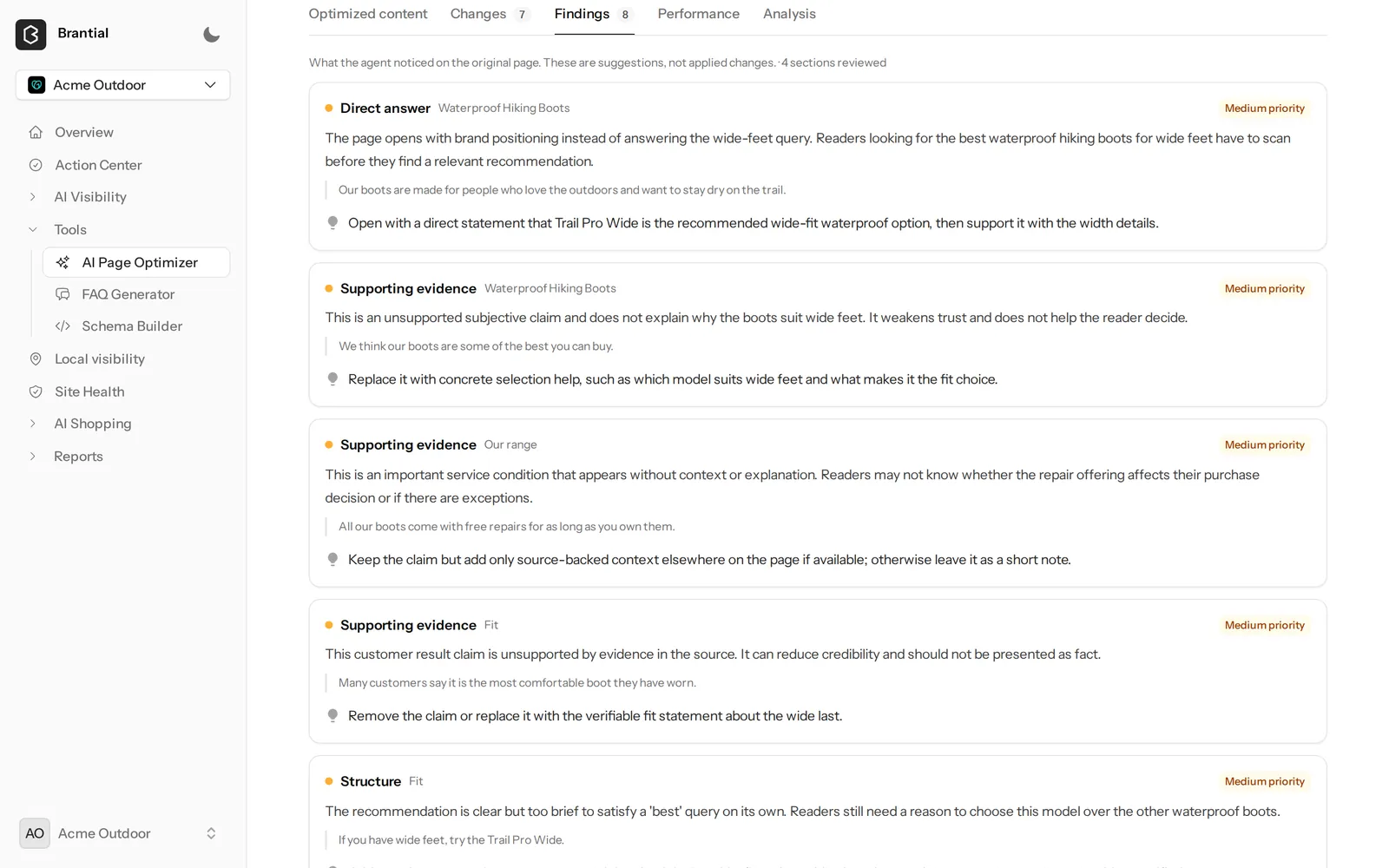
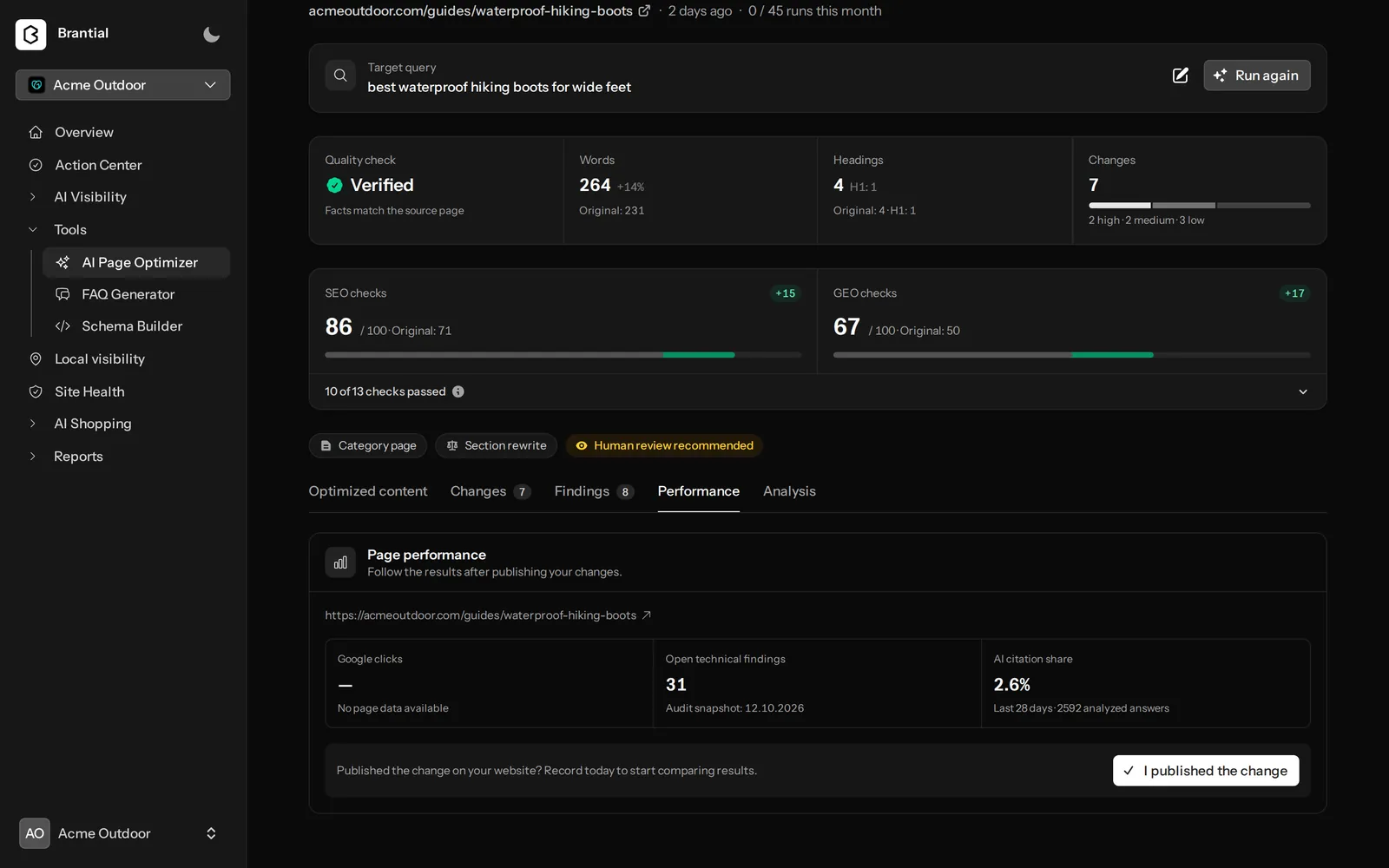
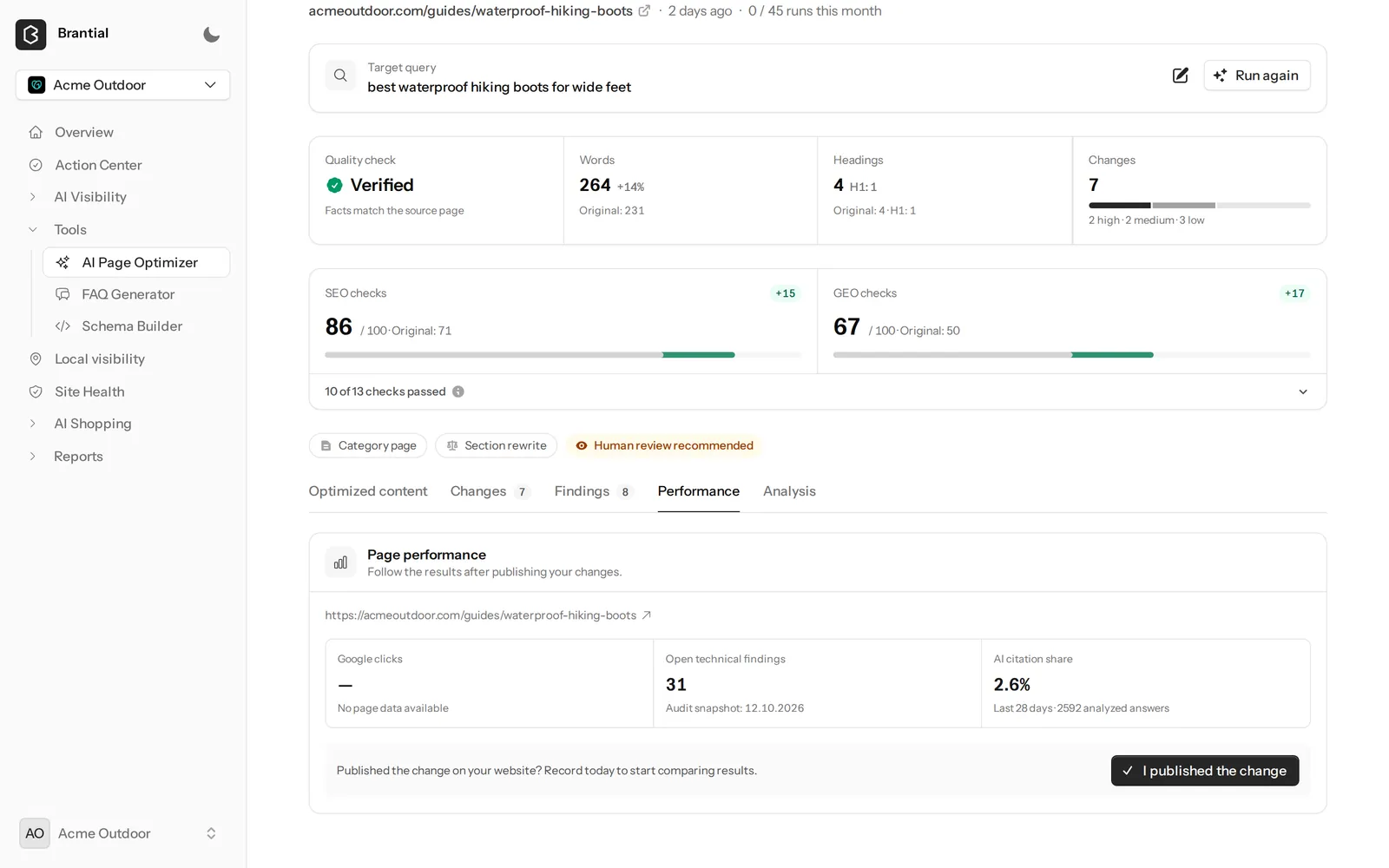
AI Page Optimizer 1 of 4
Checked and scored
Facts are verified against the original, and the SEO and GEO checks are scored before and after.
See it with your own brand.
The same screens with your prompts and competitors. The first measurement takes a few minutes.
You can also use the arrow keys. Screens from the demo project, Acme Outdoor.
What you get
A draft your team can publish with confidence.
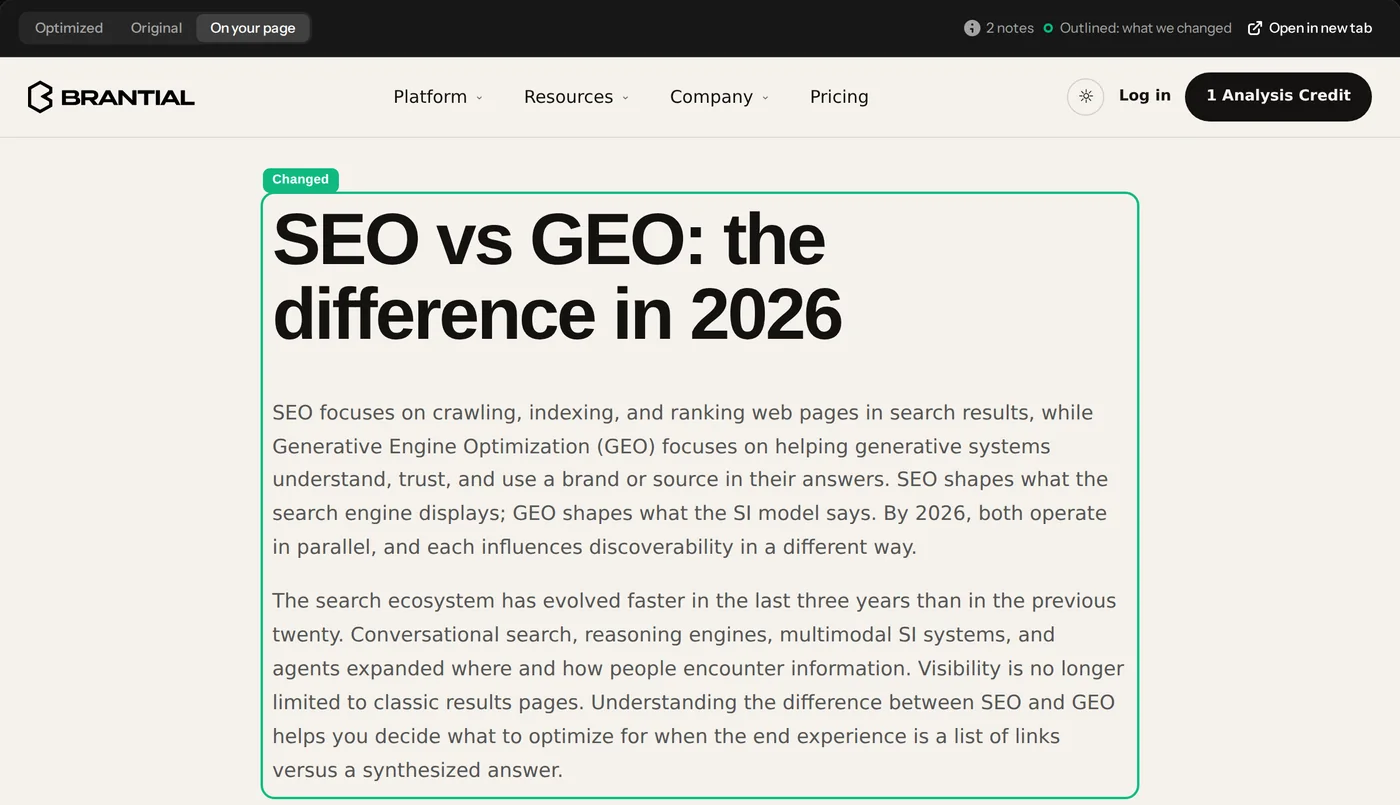
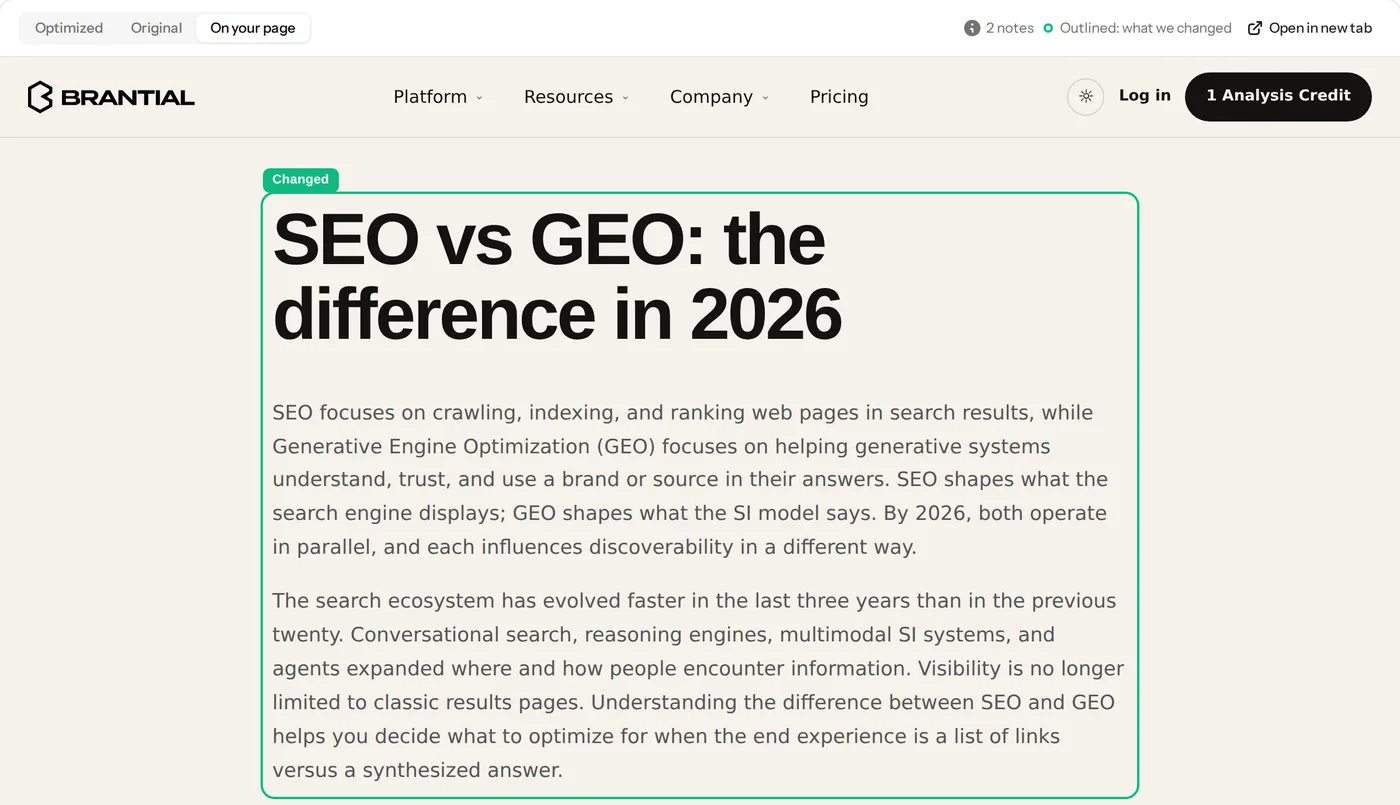
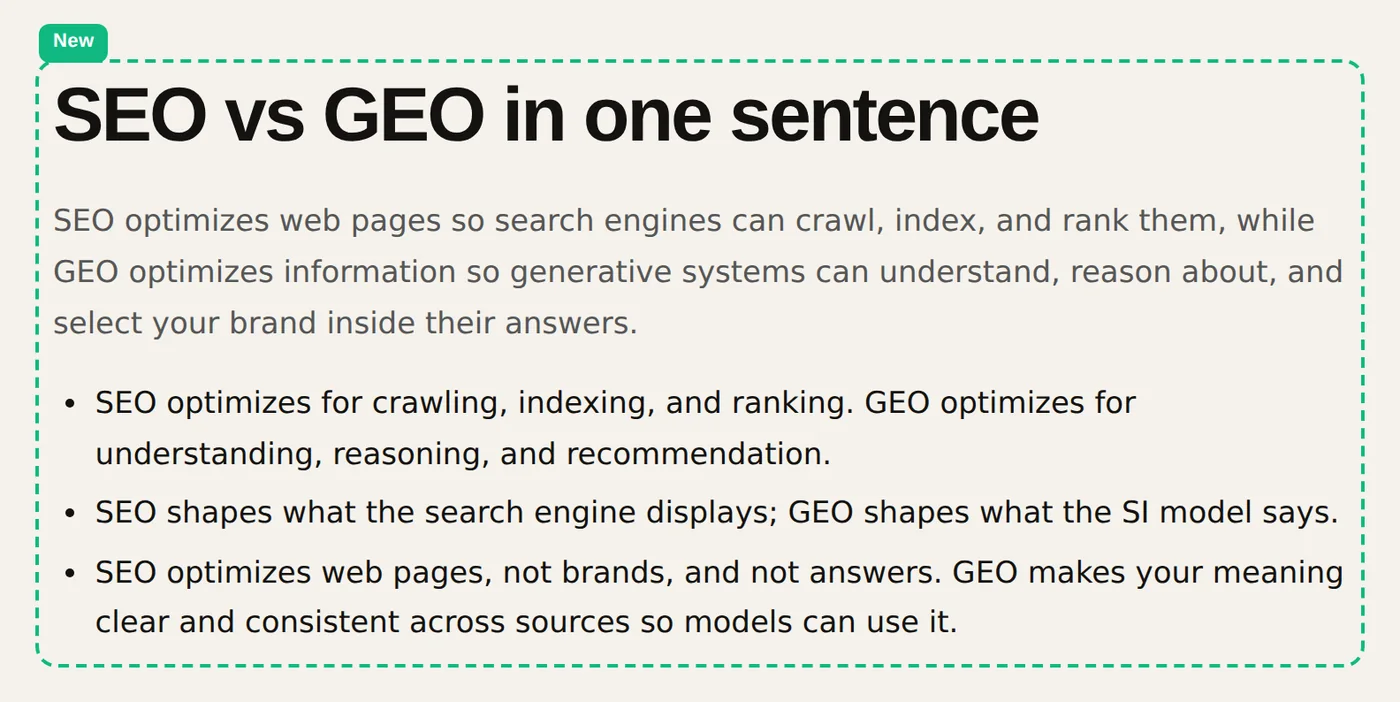
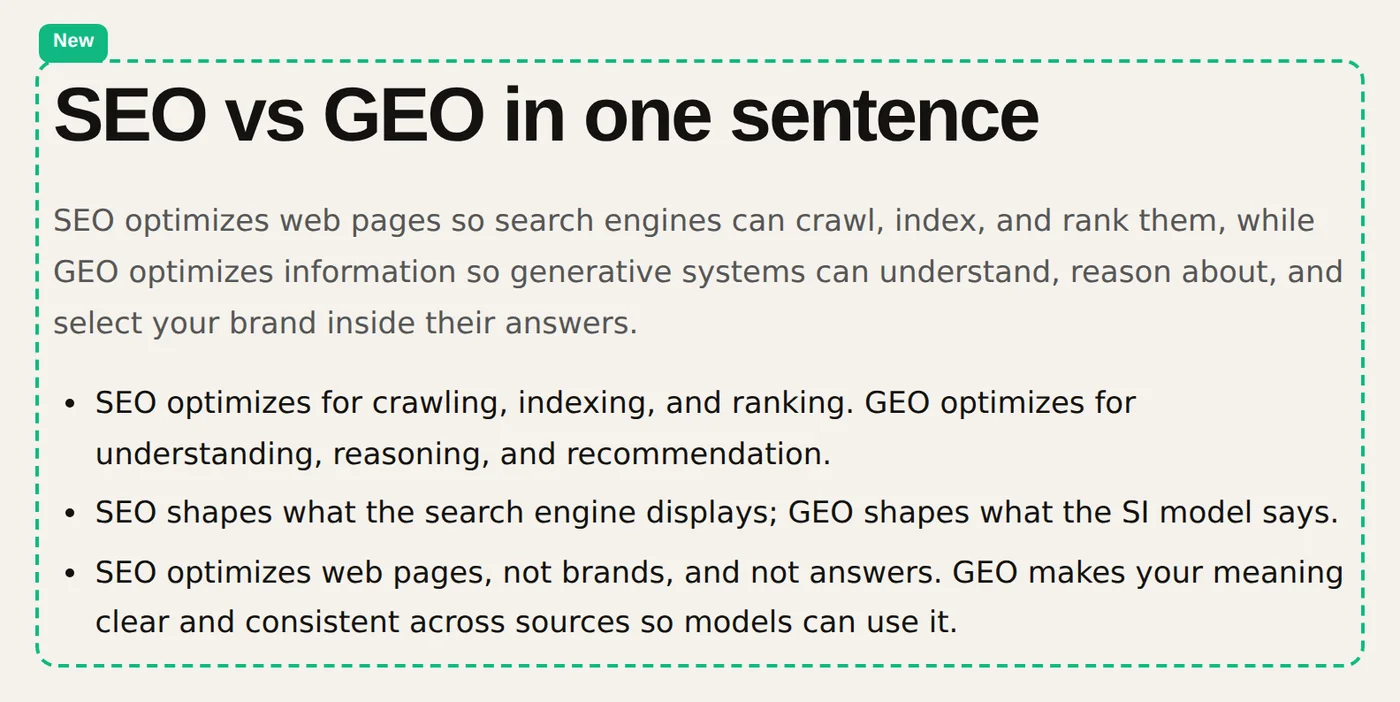
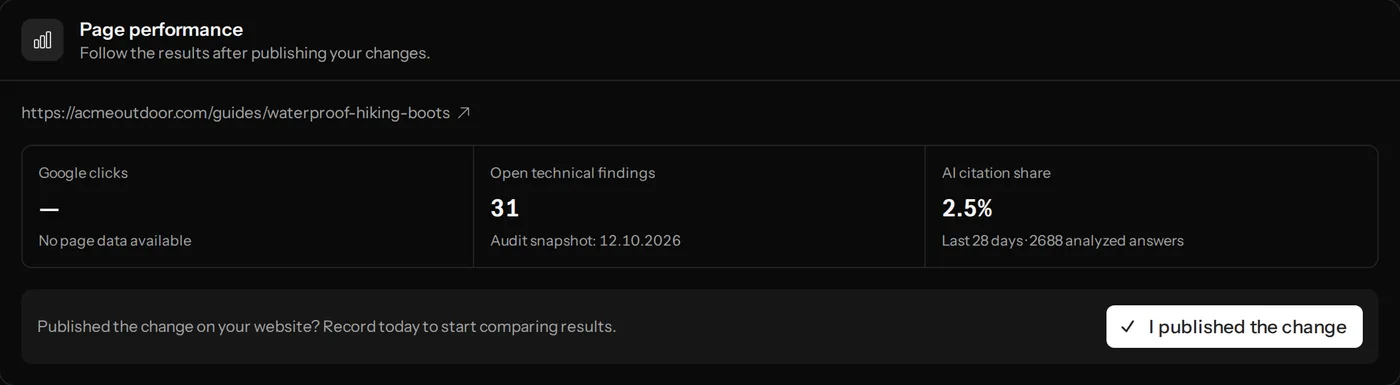
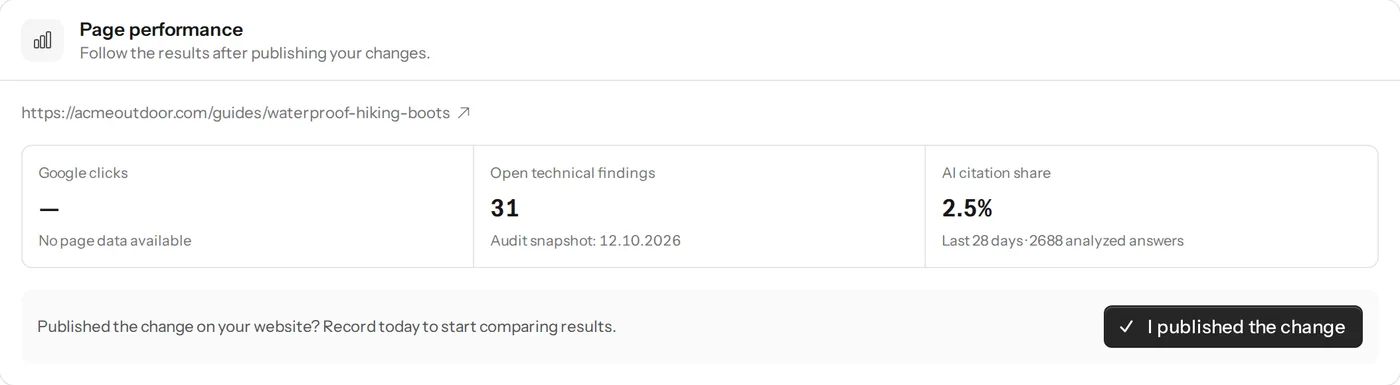
Four views your content team will use for each page.
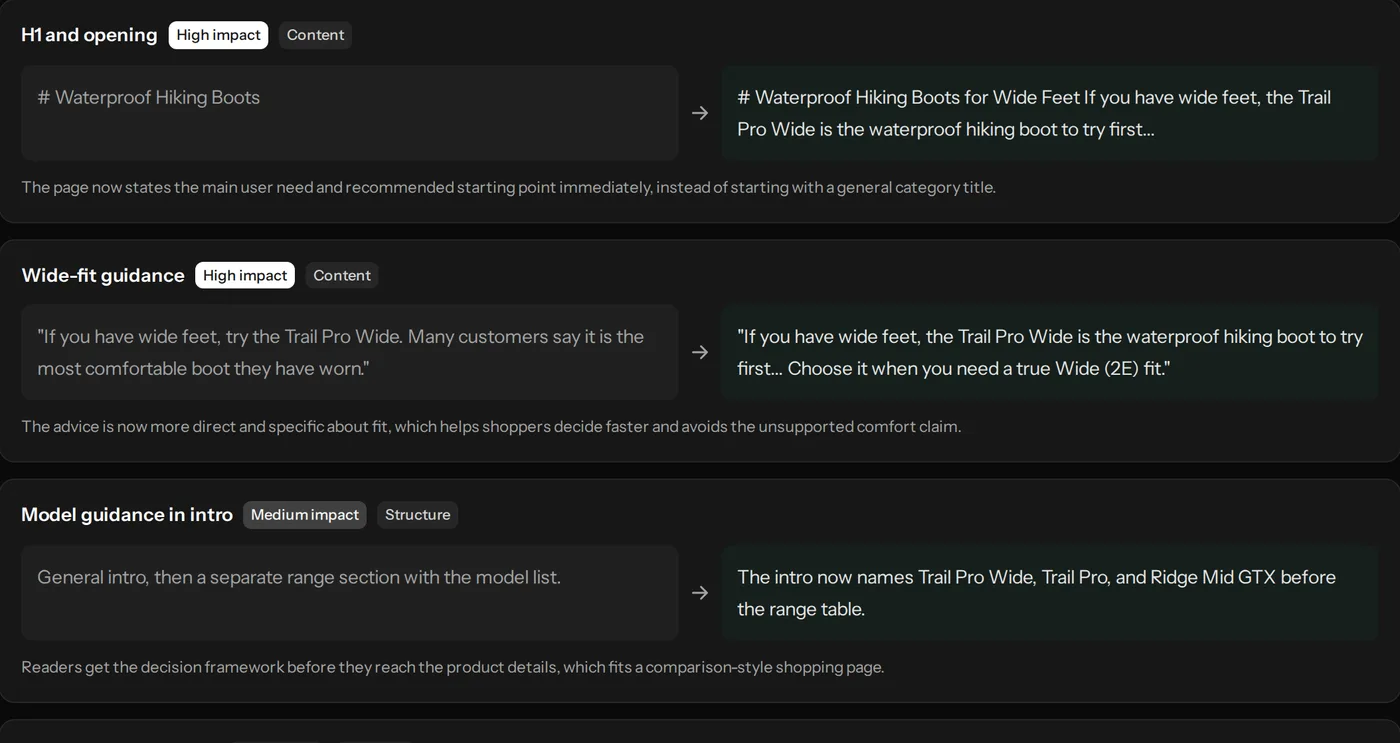
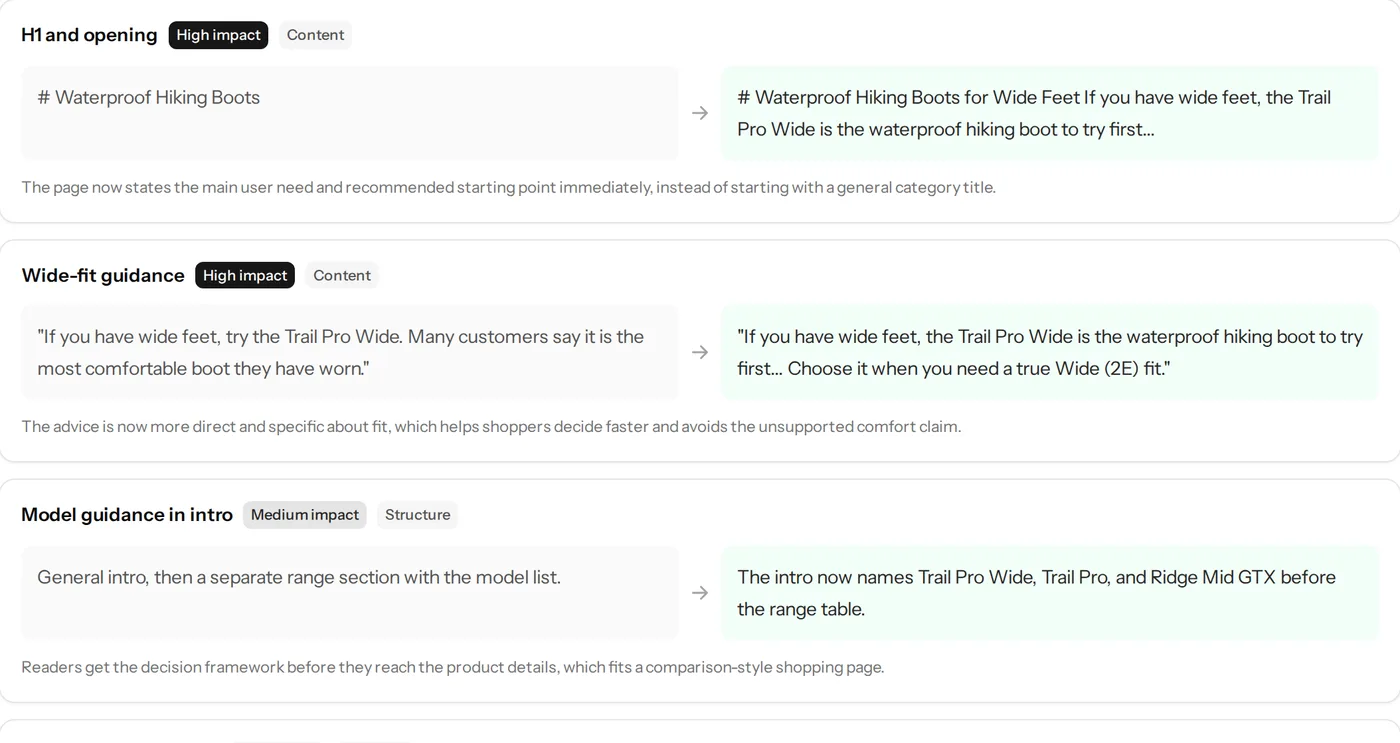






How it stays safe
Your facts stay your facts.
-
Fact check
Numbers, prices, names and claims in the draft are compared with the original page.
-
Kept as it was
Tables, links and product details are carried over instead of being rewritten.
-
Human review
Drafts are never published automatically. Your team decides what goes live.
-
Measured after
Once published, the page’s clicks and AI citations are followed against the time before.
Who it’s for
For teams with more pages than time.
-
Content teams
Start from a reviewed draft instead of a blank page.
-
SEO teams
Fix the pages behind the questions you are losing, one by one.
-
Agencies
Deliver optimised drafts with the reasoning your clients ask for.
FAQ
Questions about AI Page Optimizer
Something else on your mind? Ask us directly and someone from the team will reply.
Does it publish to my website?
You get the draft as text, as a preview inside your live page and as a PDF. With WordPress connected, it can also send the draft to WordPress as a new draft. Your team reviews it and publishes it.
Will it change my prices or product details?
It is built not to. Facts such as prices, specifications and claims are checked against the original page, and anything that does not match is fixed or flagged before you see the draft.
Which languages does it support?
It detects the language of the page and writes the draft in it, so a Turkish page gets a Turkish draft and a German page a German one. It works the same way whatever language the page is in.
How many pages can I optimise?
Starter includes 20 runs a month and Growth 45. A run is one page. You only use a run when you get a verified rewrite: a page that needs no changes, a draft that still needs a check, or a page that cannot be reached is not counted.
Can I optimise several pages at once?
Yes. Add up to 20 pages in one go, each with the question it should answer. Every page is audited and rewritten on its own, with its own report.
What if my page is already good?
Then it tells you so and leaves the page as it is. If it cannot tell what kind of page it is, it asks you for the missing details instead of guessing. Neither uses a run.
How long does it take?
Usually a few minutes; long pages can take up to about eight. You can leave the page while it works, and the result is saved when it is ready.
See what your pages could say to AI.
Start with a free analysis of your brand, or book a demo to optimise one of your pages with us.