

Can AI Crawlers Read JavaScript Websites? A Rendering Guide
Learn when AI crawlers can read JavaScript websites, why client-rendered content disappears, and how to test SSR, rendered HTML, links, metadata, and APIs.
Key Takeaways: JavaScript and AI Crawlers
5- Some crawlers render JavaScript and others do not, so essential meaning should be available without depending on one provider’s rendering capability.
- A visually complete browser page can still return an almost empty app shell, missing links, or incorrect metadata to an automated fetcher.
- Static generation and server-side rendering provide the most dependable baseline; hydration can add interaction without hiding the main content.
- Test raw HTML, rendered DOM, response status, blocked resources, and crawlable links separately because each can fail independently.
- Dynamic rendering is a temporary workaround, not the preferred long-term architecture for a site you can change.
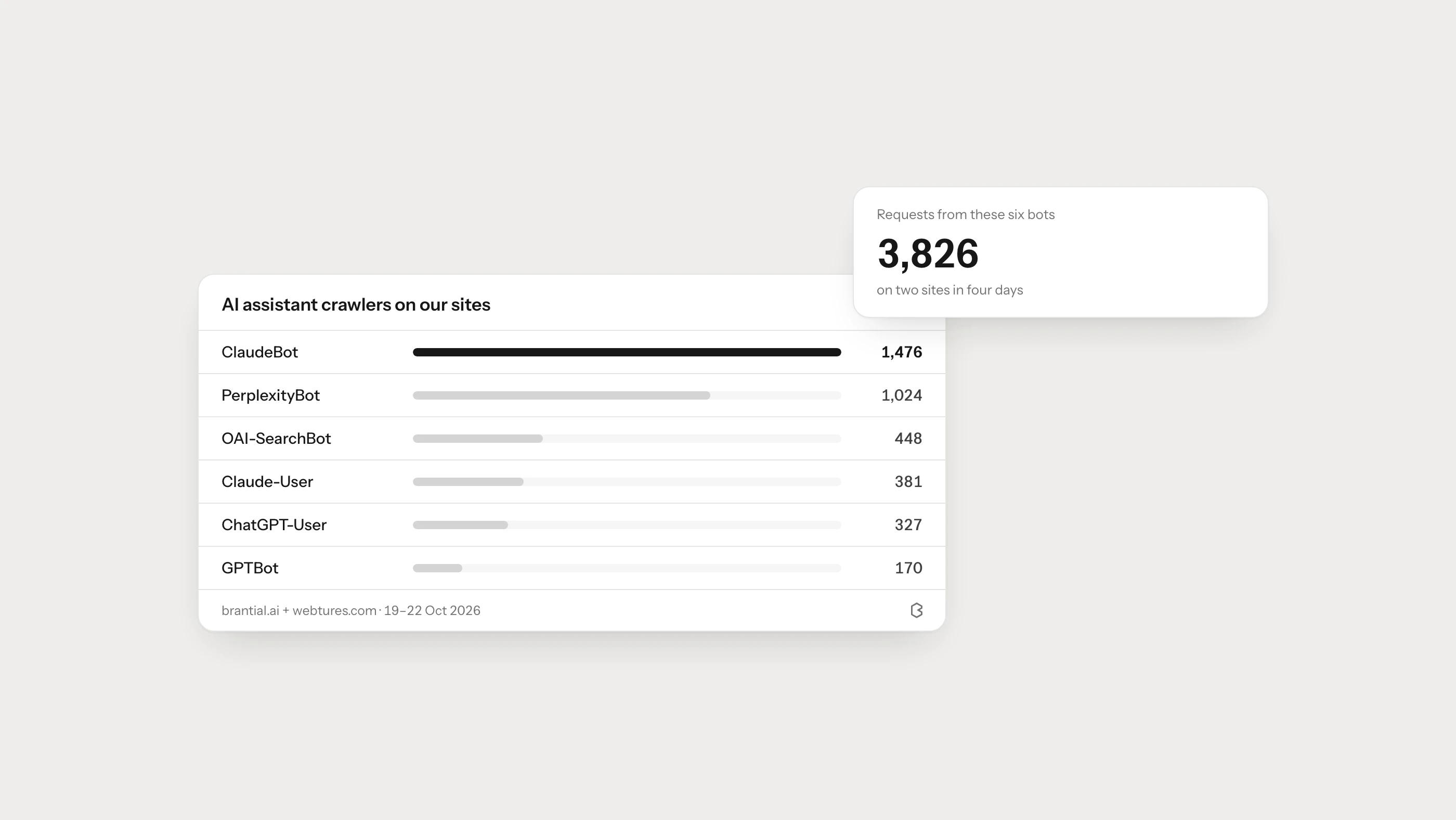
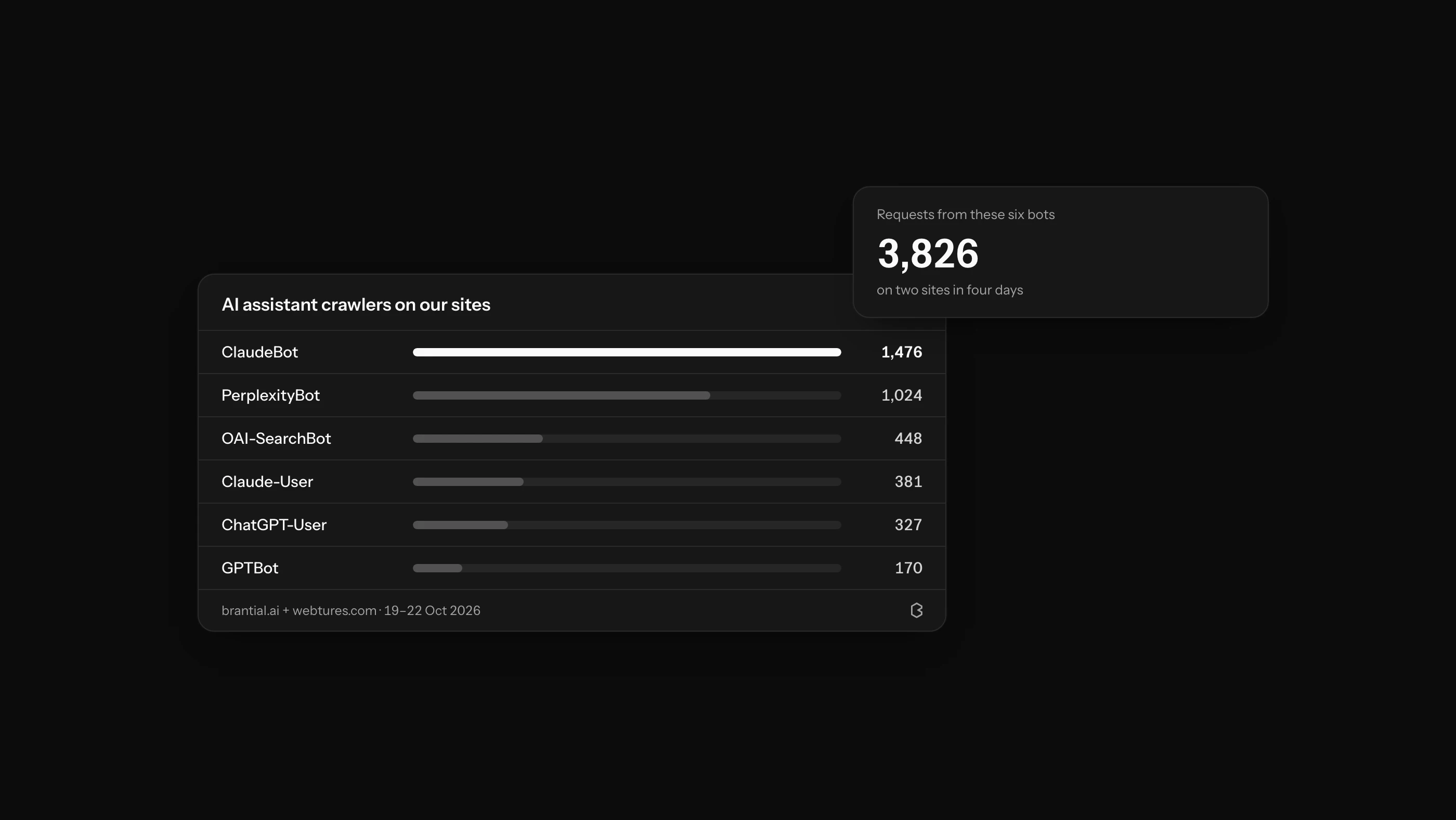
AI crawlers can read some JavaScript websites, but you should not assume every AI system renders every page like Chrome. A crawler may fetch only the server response, render scripts with limits, request one URL on a user’s behalf, or stop when an API, consent layer, or bot challenge fails.
The safest technical standard is straightforward: the server response should contain the page’s essential meaning, primary links, canonical URL, and indexability signals. JavaScript can improve the experience, but it should not be the only place where the answer exists.
Why a Page Can Look Fine and Still Be Unreadable
Open a client-rendered site in a browser and everything may appear normal after a second. The initial response, however, can contain little more than:
<div id="app"></div>
<script src="/assets/app.js"></script>
The product description, article, internal links, price, and structured data arrive only after the script downloads and an API returns data. If an automated system does not complete that sequence, it sees the shell rather than the page.
Rendering also introduces more failure points: blocked script files, timeouts, regional API rules, cookie requirements, expired tokens, and content loaded only after scrolling or clicking.
How Rendering Models Affect Crawler Access
| Rendering model | What the first response contains | Reliability for discovery | Main risk |
|---|---|---|---|
| Static generation (SSG) | Complete HTML created at build time | High for stable content | Stale output when rebuilds are not triggered |
| Server-side rendering (SSR) | Complete HTML created per request or from a cache | High when the server is healthy | Slow or inconsistent responses under load |
| Hydration | Useful server/static HTML, then JavaScript adds interaction | High when implemented well | Hydration errors can break controls, but content remains available |
| Client-side rendering (CSR) | Minimal shell; JavaScript builds the page | Variable | Important text and links depend on successful execution |
| Dynamic rendering | Bots receive a rendered version, users receive CSR | Temporary workaround | Two outputs drift, create maintenance work, or resemble cloaking if content differs |
Google’s JavaScript SEO basics describes crawling, rendering, and indexing as separate stages. It also recommends server-side or pre-rendering because it is faster for users and crawlers, and because not every bot can run JavaScript. Google now calls dynamic rendering a workaround, not a long-term solution.
Those documents describe Google specifically. The wider engineering lesson is still useful: do not make essential access depend on undocumented rendering behavior in every answer engine.
A Five-Part JavaScript Readability Test
Choose representative URLs from each template and test five layers.
1. HTTP response
Record the status, redirect path, response headers, and final URL. A page may show an error in the browser while returning 200, or return 403 only to requests from a particular region or network.
2. Raw HTML
Use view source or an HTTP client to inspect the server response. Search for the page title, H1, first paragraph, canonical, robots directive, primary product or article data, and internal links.
If none of these exists until JavaScript runs, document the page as rendering-dependent.
3. Rendered DOM
Load the page in a rendering test and compare the final DOM with the raw response. Google’s URL Inspection and Rich Results Test can reveal rendered HTML, resource failures, and console errors for Google-specific troubleshooting. The JavaScript troubleshooting guide explains that workflow.
4. Resources and APIs
Check whether scripts, styles, fonts, images, and data APIs can be requested without a user session. Look for robots.txt blocks, CORS errors, WAF challenges, 401, 403, 429, and slow API responses.
5. Links and interactions
Important discovery paths should use real anchors with href values. A card that changes routes only through an onclick handler may work for a visitor but expose no crawlable destination. Content that appears only after a hover, tab click, or infinite scroll also needs an accessible URL or server-rendered fallback.
The Most Common JavaScript SEO and AI-Readiness Failures
Empty application shells
The page’s meaningful content exists only in the client bundle. Use SSR or SSG for public content and hydrate interactive parts afterward.
Client-only titles, canonicals, and robots directives
Metadata is inserted or corrected after load. Put the final canonical and indexability instruction in the initial HTML where possible. Do not ship one canonical and replace it with another after hydration.
False 200 pages
A missing product or article renders an error message but the server returns 200. Return a genuine 404 for missing resources and an appropriate 5xx for temporary server failure.
Links implemented as buttons
Navigation cards and pagination rely on click handlers. Use semantic links for navigation; reserve buttons for actions on the current page.
Lazy loading that requires interaction
The first screen is available, but the comparison table or remaining article never enters the DOM until a click or scroll event. Ensure primary content is in the HTML or loads without a gesture.
Structured data that disagrees with the page
The JSON-LD comes from the server while visible stock or price comes from a newer client API. Both outputs need the same source of truth and update policy.
Consent tools that remove content
A consent manager delays analytics by design but accidentally delays or hides ordinary page content and links. Test every consent state, including no choice and rejection.
What Should Always Be Present in the Initial HTML?
For public editorial and commercial pages, aim to include:
- a specific title and meta description,
- canonical and language annotations,
- the main heading and direct answer,
- the product, service, or article’s defining information,
- primary navigation and contextual internal links,
- visible authorship, organization, and date information where relevant,
- structured data that matches the visible page.
An interactive calculator or live inventory selector can remain client-side. The surrounding explanation, available options, and destination links should not disappear with JavaScript disabled.
What About ChatGPT, Claude, and Perplexity?
Provider bots have different purposes. Search crawlers, training crawlers, and user-requested fetchers should not be treated as one rendering engine. Public documentation generally explains bot identity and access controls more clearly than it explains a permanent JavaScript execution specification.
That is why architecture should degrade gracefully rather than target a guessed capability. OpenAI advises publishers to allow OAI-SearchBot for ChatGPT search eligibility and notes that host or CDN blocks can still prevent access. The AI crawler log analysis guide covers those policies separately.
Migration Checklist for a Client-Rendered Site
You do not need to rewrite the whole product at once. Start with the public templates that support discovery and decisions.
- Inventory routes and group them by template.
- Capture raw and rendered HTML for one URL in each group.
- Move titles, canonicals, main copy, core data, and internal links into server or static output.
- Keep JavaScript for filters, personalization, calculators, and account actions.
- Return accurate status codes from the server.
- Make API and asset access consistent across regions and verified crawlers.
- Compare visible content and structured data after deployment.
- Monitor logs, indexation, AI citations, and real referral sessions.
Use the AI Site Audit Checklist to review the other technical and editorial layers. Brantial Site Health can help group recurring issues by template instead of treating every affected URL as a separate task.
Frequently Asked Questions
Is server-side rendering required for AI visibility?
Not universally, but it is the most dependable way to deliver essential public content without relying on an unknown renderer. Static generation is equally suitable for content that does not need per-request output.
Is hydration safe?
Yes, when meaningful HTML arrives first and hydration adds interaction. Test for hydration errors and make sure navigation and forms remain accessible.
Can prerendering be used instead of rebuilding the application?
It can be a transition step. Treat bot-specific dynamic rendering as temporary and keep the bot and user versions equivalent. Prefer one maintainable rendering path over time.
Does a successful browser test prove that crawlers can read the page?
No. A browser test proves the user path works in that environment. Inspect the raw response, rendered DOM, resources, status codes, links, and logs separately.