

GPTBot vs OAI-SearchBot vs ChatGPT-User: OpenAI’s Crawlers Explained
GPTBot collects training data, OAI-SearchBot builds ChatGPT search and ChatGPT-User fetches pages for chats. What each does, how to block it, what logs show.
Key Takeaways: OpenAI’s Crawlers
4- GPTBot collects content that may be used to train OpenAI’s models. OAI-SearchBot builds the index ChatGPT search draws on. ChatGPT-User fetches a page when a user’s conversation needs it.
- Each one is controlled separately in robots.txt. You can block GPTBot for training and still allow OAI-SearchBot, so your pages can appear as sources in ChatGPT.
- Blocking OAI-SearchBot keeps your pages out of ChatGPT search results, which is usually not what a brand wants.
- On the three sites we monitor, OAI-SearchBot made twice as many requests as GPTBot in 30 days, and user-triggered agents hit errors far more often than search crawlers.
GPTBot, OAI-SearchBot and ChatGPT-User are three separate OpenAI agents with three separate jobs. GPTBot crawls the web for content that may be used to train OpenAI’s models. OAI-SearchBot crawls pages so they can appear as sources in ChatGPT search. ChatGPT-User visits a page only when a ChatGPT user’s conversation needs it, for example when someone pastes a link or ChatGPT opens a result while answering. You can allow or block each one on its own in robots.txt. A fourth, OAI-AdsBot, only checks the landing pages of ads that run in ChatGPT.
That split matters because the decisions are independent. A site that blocks “OpenAI” wholesale to keep its content out of training also removes itself from ChatGPT’s search sources. Most brands want the opposite: to be found and cited when people ask ChatGPT about their category.
What does each OpenAI crawler do?
OpenAI documents its crawlers and their user-agent tokens on its bots page. In short:
| User-agent | What it does | If you block it |
|---|---|---|
GPTBot | Crawls content that may be used to train OpenAI’s generative models | Your content is not collected for future training. ChatGPT search is unaffected. |
OAI-SearchBot | Crawls pages for ChatGPT’s search features | Your pages cannot be shown as sources in ChatGPT search answers. |
ChatGPT-User | Visits a page when a user’s request in ChatGPT needs it | ChatGPT cannot open your page for that user. OpenAI notes that robots.txt may not apply to these user-initiated visits in the same way. |
OAI-AdsBot | Checks the landing pages of ads that run in ChatGPT against ad policies; OpenAI says it is not used for training | Only matters if you advertise in ChatGPT: your ad landing pages cannot be reviewed. |
Other AI companies follow the same pattern of separate agents for training, search and user requests. Anthropic uses ClaudeBot, Claude-SearchBot and Claude-User; Perplexity uses PerplexityBot and Perplexity-User; Google uses the Google-Extended token to control use of content in its AI models, separately from Googlebot. Check each provider’s own documentation before you write rules, because names and policies change.
What AI crawlers actually request: data from three sites
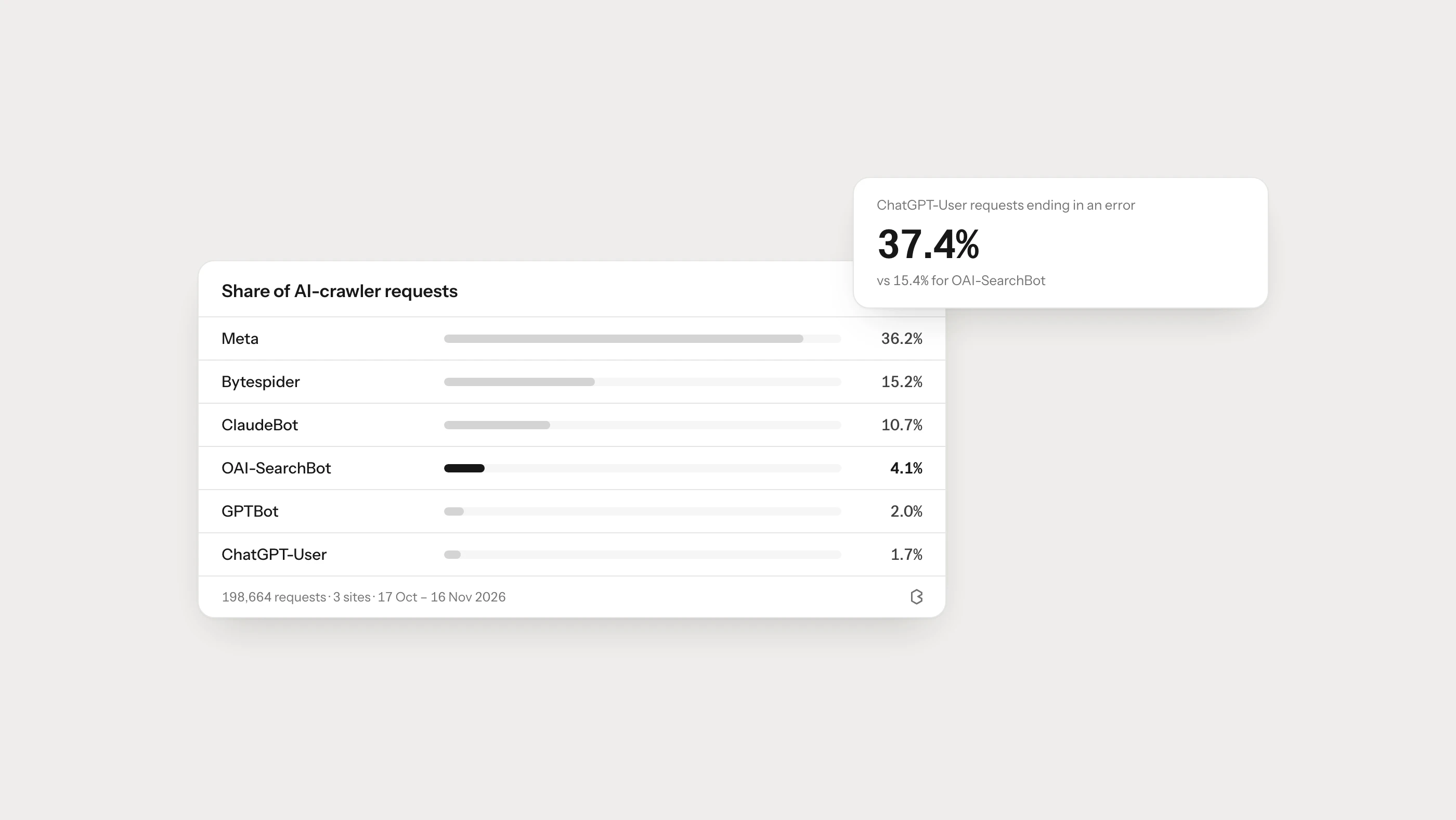
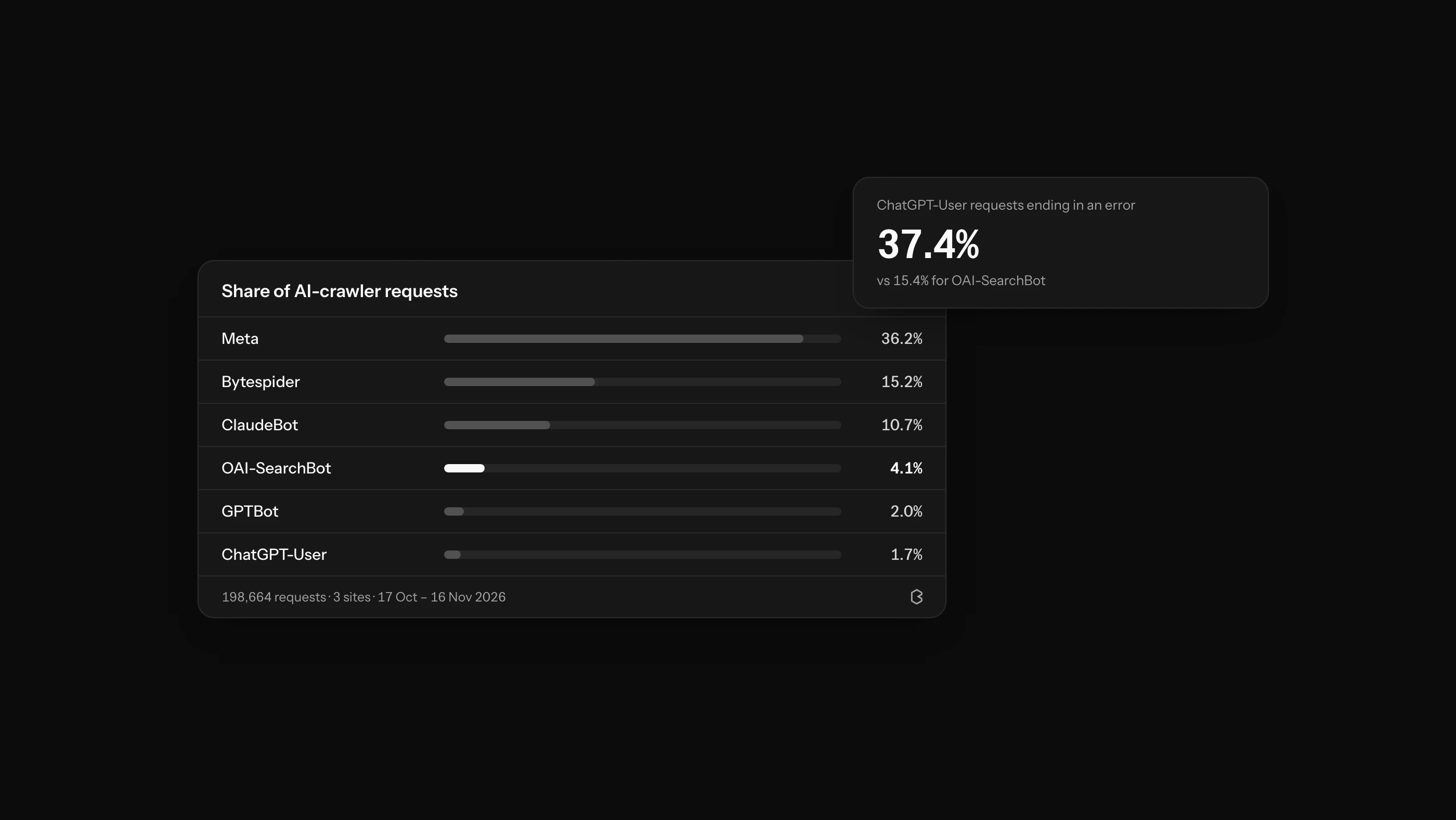
To see how these agents behave in practice, we looked at the AI-bot logs Brantial collects for the three sites we currently monitor with Agent Analytics. Over 30 days (October 17 to November 16, 2026) they received 198,664 requests from AI crawlers. Three sites is a small sample, so read the figures as a picture of these sites rather than a benchmark for the web.
| Crawler | Share of AI-bot requests | Requests ending in a 4xx or 5xx error |
|---|---|---|
| Meta (meta-externalagent) | 36.2% | 3.5% |
| Bytespider (ByteDance) | 15.2% | 7.9% |
| ClaudeBot | 10.7% | 6.1% |
| Applebot | 8.8% | 8.2% |
| GoogleOther | 4.7% | 0.3% |
| PerplexityBot | 4.3% | 14.2% |
| OAI-SearchBot | 4.1% | 15.4% |
| Claude-User | 2.2% | 30.4% |
| GPTBot | 2.0% | 30.5% |
| ChatGPT-User | 1.7% | 37.4% |
Four things stand out:
- OAI-SearchBot visited twice as often as GPTBot. On these sites, OpenAI spent more effort on keeping its search index current than on collecting training data.
- User-triggered agents hit the most errors. About a third of ChatGPT-User and Claude-User requests ended in an error, compared with around 15% for OAI-SearchBot. These agents often follow links a person typed or that an answer suggested, including old or mistyped URLs. Every failed visit is a moment when an AI assistant tried to read your page for someone and could not.
- The biggest crawlers are not the ones people talk about. Meta’s crawler and Bytespider made half of all AI-bot requests, far more than any OpenAI agent.
- Almost nobody asked for llms.txt. 74% of requests were for pages and 23.5% for assets such as scripts and images. robots.txt took 1.4% and sitemaps 1.0%. Requests for llms.txt were close to zero. If you publish an llms.txt file, treat it as optional, not as the way AI crawlers find your content.
How to allow or block each crawler in robots.txt
Rules go in robots.txt at the root of your domain. Each block names one user-agent token.
Allow ChatGPT search, opt out of training:
User-agent: OAI-SearchBot
Allow: /

User-agent: GPTBot
Disallow: /
Allow everything from OpenAI:
User-agent: GPTBot
Allow: /

User-agent: OAI-SearchBot
Allow: /

User-agent: ChatGPT-User
Allow: /
Keep a private area closed to all crawlers while leaving the rest open:
User-agent: *
Disallow: /account/
A few practical points:
- Changes are not instant. OpenAI notes it can take about a day for its systems to pick up robots.txt changes for search.
- robots.txt is a request, not a lock. Anything that must stay private needs authentication, not a robots.txt rule.
- Check your CDN and firewall too. Bot protection that challenges or blocks these user-agents has the same effect as a Disallow line, often without anyone noticing. A high error rate for OAI-SearchBot or ChatGPT-User in your logs is the usual sign.
- Make sure the text is in the HTML. Many AI crawlers do not run JavaScript, so content that only appears after scripts run may be invisible to them. Our guide on whether AI crawlers can read JavaScript sites covers how to test it.
How to see which AI crawlers visit your site
Your server or CDN logs already record every visit. Filter them by user-agent for the tokens above and look at three things: which pages each crawler requests, how often, and which requests fail. Because user-agents can be faked, verify important traffic against the IP ranges the provider publishes.
For a step-by-step method, see our guide to AI crawler traffic analysis and the definition of a search bot.
Frequently asked questions
Should I block GPTBot?
Block GPTBot if you do not want your content used to train OpenAI’s future models. It has no effect on whether your pages can appear in ChatGPT search, which is controlled by OAI-SearchBot.
Does blocking GPTBot remove me from ChatGPT?
No. ChatGPT search relies on OAI-SearchBot. If OAI-SearchBot is allowed, your pages can still be shown as sources in ChatGPT answers even with GPTBot blocked.
What is OAI-SearchBot?
OAI-SearchBot is the OpenAI crawler that collects pages for ChatGPT’s search features. Allowing it is what makes your pages eligible to be cited in ChatGPT search answers.
What is ChatGPT-User?
ChatGPT-User is the agent ChatGPT uses when a user’s request needs a specific web page, such as a link pasted into a chat. It is not an automatic crawler, and OpenAI says robots.txt may not apply to these visits the way it does to crawlers.
How do I know if OAI-SearchBot can reach my site?
Check your logs for the OAI-SearchBot user-agent and look at the response codes. Repeated 403, 429 or 5xx errors usually point to a firewall, bot-protection rule or rate limit that is turning it away.