

What Is Query Fan-Out? How AI Search Finds and Selects Sources
See how Google AI Mode expands one question into related searches, retrieves possible sources, and turns them into a cited answer.
Key Takeaways
4- Query fan-out turns one complex question into several related searches so an AI search experience can investigate the subject from more than one angle.
- Retrieval finds a pool of potentially useful pages; reranking is a later step that can reorder those candidates according to how well they answer the question.
- A page does not need to repeat every wording of a prompt, but it should answer the important subquestions behind the decision clearly and with verifiable evidence.
- The practical goal is not to guess hidden queries. It is to map real customer questions to useful sections, comparison criteria, facts, and supporting sources.
A person searching for the best project management software for a 50-person remote agency is not really asking one question. They also want to know whether the tool fits the team size, works with their existing software, keeps client work separate, meets security requirements, and remains affordable as the agency grows.
Traditional search might leave the user to open several results and investigate each point. An AI search experience can do part of that work in the background. It can break the original question into related searches, gather information from multiple pages, and combine what it finds into one response.
Google calls this process query fan-out. Understanding it helps explain why a page can rank for a familiar keyword yet never appear in an AI-generated answer, while another page that addresses a specific part of the decision becomes a cited source.
What is query fan-out?
Query fan-out is the process of expanding a broad or complex question into several related searches. Google describes it as a set of concurrent queries generated to retrieve the additional information needed to answer the user’s original question.
For example, the prompt “What is the best project management software for a 50-person remote agency?” could lead to searches around pricing, permissions, integrations, security, client access, and remote collaboration. The exact searches vary by model and response, and Google does not provide site owners with an exhaustive fan-out report in Search Console. Brantial can record the web searches exposed during supported AI answer runs; the table below illustrates how those observed searches can be translated into content needs.
| What the user needs to decide | A possible related search | The information a useful source would provide |
|---|---|---|
| Can the team afford it? | Project management pricing for 50 users | Current plan limits and a transparent cost example |
| Will it fit the workflow? | Tools for remote agency collaboration | Relevant workflows rather than a generic feature list |
| Can clients be invited safely? | Guest access and client permission options | Clear roles, restrictions, and real limitations |
| Does it work with our stack? | Project tools with Slack and CRM integration | Supported integrations and setup requirements |
| Is the product trustworthy? | Project management security and compliance | Verifiable security documentation and policy links |
Google’s official guidance for generative AI features in Search explains that AI Overviews and AI Mode can use query fan-out alongside retrieval-augmented generation. Google also says these experiences rely on its core Search ranking and quality systems to find relevant, up-to-date pages from the Search index.
That last detail matters. Query fan-out is not a separate web with a completely different set of rules. A page still needs to be crawlable, indexable, understandable, and useful before it can become a candidate source.
What happens after the question is expanded?
The full internal process differs between products, and search providers do not disclose every model, signal, or weighting they use. A practical way to understand the general flow is:
- The system interprets the user’s request and its constraints.
- It generates related searches for the parts that need more information.
- Retrieval systems find candidate pages or passages.
- The candidate set may be reordered according to relevance and usefulness.
- The model builds a response from the selected information and may attach supporting links.
The fourth step is often described as reranking. It does not mean searching the entire web again. It means taking an existing set of candidates and reassessing which ones best answer the current question. Google Cloud’s ranking documentation describes this general RAG pattern: retrieve an initial set of documents, then rerank those documents according to how well they answer a query.
This is useful for understanding information retrieval, but it should not be presented as a confirmed diagram of Google Search’s private production system. Google confirms query fan-out and its use of core Search systems; it does not publish every stage or scoring factor behind each AI Mode response.
Retrieval and reranking are not the same thing
| Stage | The question it answers | What it means for your content |
|---|---|---|
| Discovery | Can the system find and access the page? | Crawling, indexing, internal links, and renderable content matter |
| Retrieval | Is the page a plausible match for this subquestion? | Topic coverage and the language used by real customers matter |
| Reranking | Which retrieved item answers the need most clearly? | Direct answers, context, evidence, and focused passages become useful |
| Synthesis | Can the information support a reliable response? | Consistent facts and clear source attribution reduce ambiguity |
This distinction also explains why publishing more pages is not automatically better. If ten thin pages repeat the same claims, retrieval may find them, but none may contain the complete, well-supported passage needed for the final answer.
Why query fan-out changes content planning
Keyword research usually begins with a phrase and asks how many people search for it. Query fan-out adds a second question: What must a person learn before they can make the decision behind that phrase?
Consider someone comparing software for a remote agency. A single landing page that says “easy, secure, and built for collaboration” does not resolve much. The reader still needs specifics:
- How are guest and client permissions handled?
- What happens when the team grows from 20 to 50 people?
- Which integrations are native, and which require a connector?
- Is data residency documented?
- What does the product cost at the required seat count?
- Where will migration create extra work?
These are not phrases to force into a page. They are information needs. Strong content deals with the ones that genuinely apply, answers them in plain language, and points to evidence where a claim requires proof.
How to build a query fan-out content map
You do not need access to a search engine’s hidden query list. You need a disciplined view of the questions customers already ask.
Start with one real decision
Choose a prompt that reflects a meaningful task, not a broad category label. “Project management software” is a subject. “Which project management tool suits a 50-person agency that gives clients guest access?” is a decision.
Useful starting points include sales calls, support tickets, on-site search, Search Console queries, product reviews, community discussions, and the questions used in your own AI visibility tracking. The aim is to hear the customer’s language before drafting the page.
Separate the decision into branches
Write down the conditions that could change the recommendation. A software decision may branch by company size, industry, budget, integration, security, geography, or use case. A product decision may branch by material, compatibility, delivery time, warranty, or maintenance.
Do not add a branch simply because it might create another heading. Include it only when the answer would help someone choose, reject, compare, or use the product.
Match each branch to the right type of evidence
Different questions need different proof. Pricing should point to current plan details. Security claims should link to security or compliance documentation. Performance claims need a method and a date. A comparison should state its criteria and disclose where information came from.
| Branch | Weak treatment | More useful treatment |
|---|---|---|
| Pricing | “Affordable for growing teams” | Cost example for a defined team size, with billing terms |
| Integration | A row of partner logos | Supported actions, limitations, and setup requirements |
| Security | “Enterprise-grade security” | Named controls and links to maintained documentation |
| Comparison | Declaring your product the winner | Criteria, trade-offs, best-fit scenarios, and source dates |
| Use case | Repeating the feature list | A realistic workflow from first step to outcome |
Decide whether to expand an existing page
Every fan-out branch does not need a new URL. If a subquestion belongs naturally to the main subject and can be answered without changing the page’s purpose, add a focused section to the existing page. Create a separate page only when the subquestion has a distinct intent and deserves a complete answer of its own.
This prevents the site from publishing several pages that compete for the same searches. It also gives readers one dependable resource instead of a trail of near-duplicates.
Write sections that work on their own
A useful section should make sense even when it is read outside the full article. Start with a direct answer, then add context, conditions, and evidence. Descriptive headings help both readers and retrieval systems understand what the passage covers.
This does not require robotic writing. In fact, a page made of dozens of one-sentence answers can feel fragmented and unhelpful. The better pattern is to answer the question early and then explain the nuance a person would need before acting on it.
For more on this balance, see our guide to optimizing content for AI search engines.
Keep the page technically accessible
Good information cannot be retrieved if the important copy is blocked, missing from the rendered HTML, or hidden behind an interaction a crawler cannot use. Check canonical tags, indexing status, internal links, server responses, and JavaScript rendering as part of the editorial workflow.
The AI site audit checklist covers the technical checks that should sit alongside the content map.
A worked example: from one prompt to a useful page
Suppose a vendor wants to be considered for this prompt:
What is the best project management software for a 50-person remote agency with external clients?
Instead of creating a page that repeats “best project management software” in several headings, the team could build one honest comparison resource with the following structure:
- A short explanation of who the comparison is for.
- Evaluation criteria: permissions, client access, integrations, security, reporting, and total cost.
- A table that compares products under the same criteria.
- A cost scenario based on 50 team members and a stated billing period.
- A workflow showing how an external client reviews and approves work.
- Clear limitations and the situations in which another option may fit better.
- Links to current pricing, security, and integration documentation.
The same map can reveal missing supporting pages. If client permissions require a detailed explanation, the product documentation may need a maintained permissions guide. If migration is a frequent concern, a migration checklist may deserve its own page. The map therefore improves the site for customers even before it affects AI visibility.
How to measure the impact in Brantial
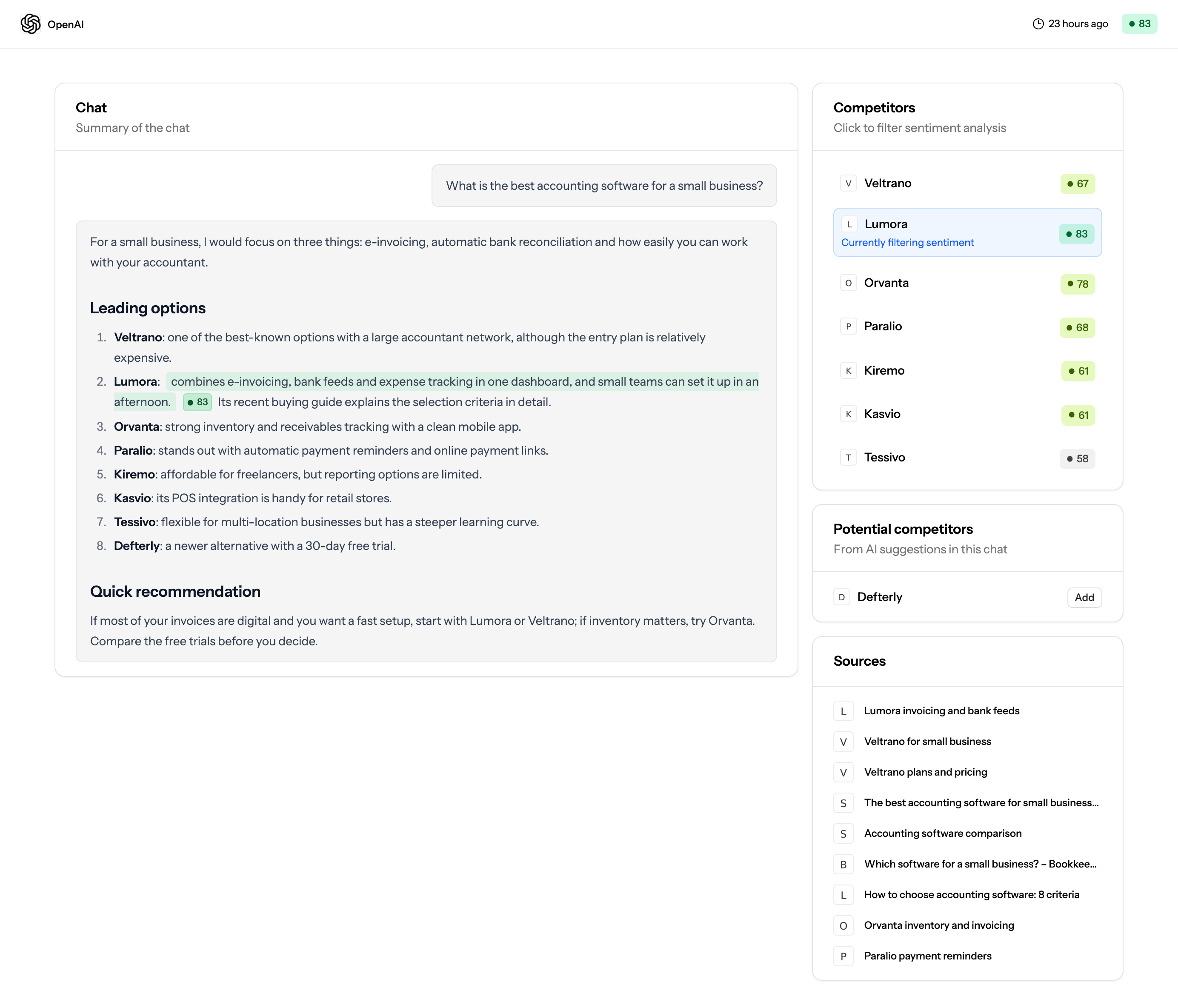
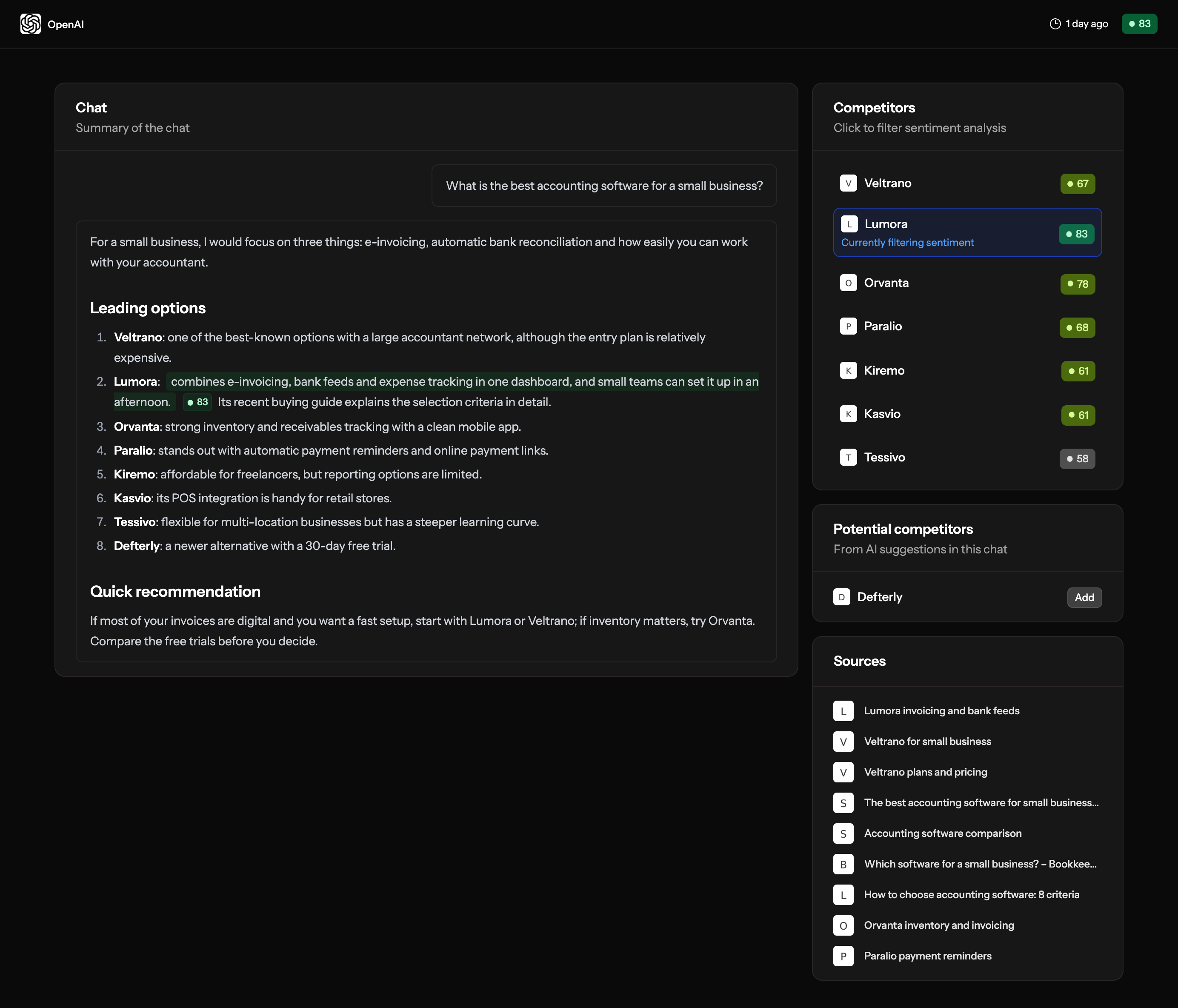
Brantial can take this work from the initial baseline to the outcome in the same workspace. Before updating the content, create a stable set of prompts around the customer decision and record the brand’s current mention rate, citation rate, share of voice, answer position, and cited URLs. Keep the prompt set unchanged after publication so that the comparison measures the work rather than a different sample.
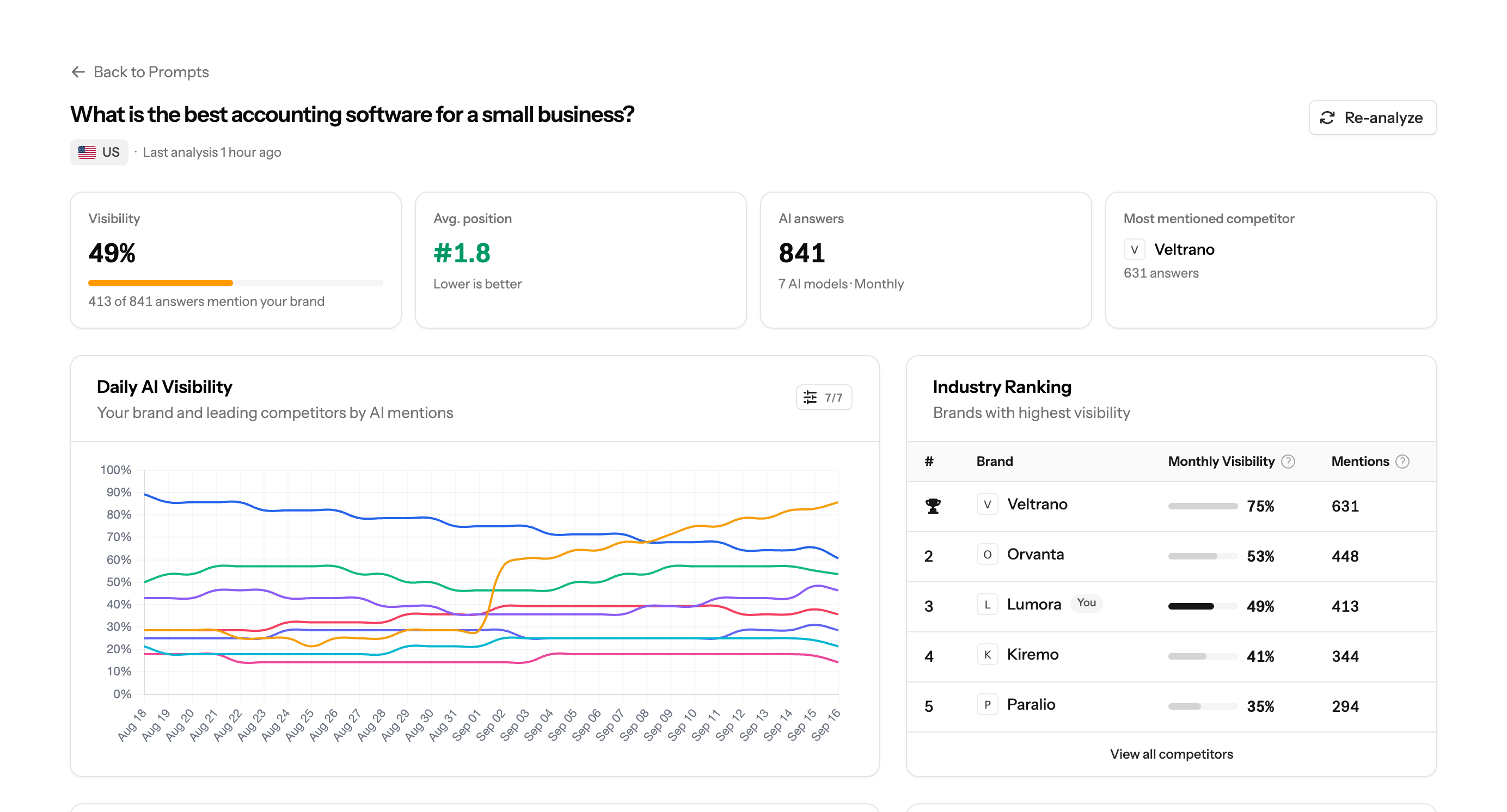
A practical measurement cycle looks like this:
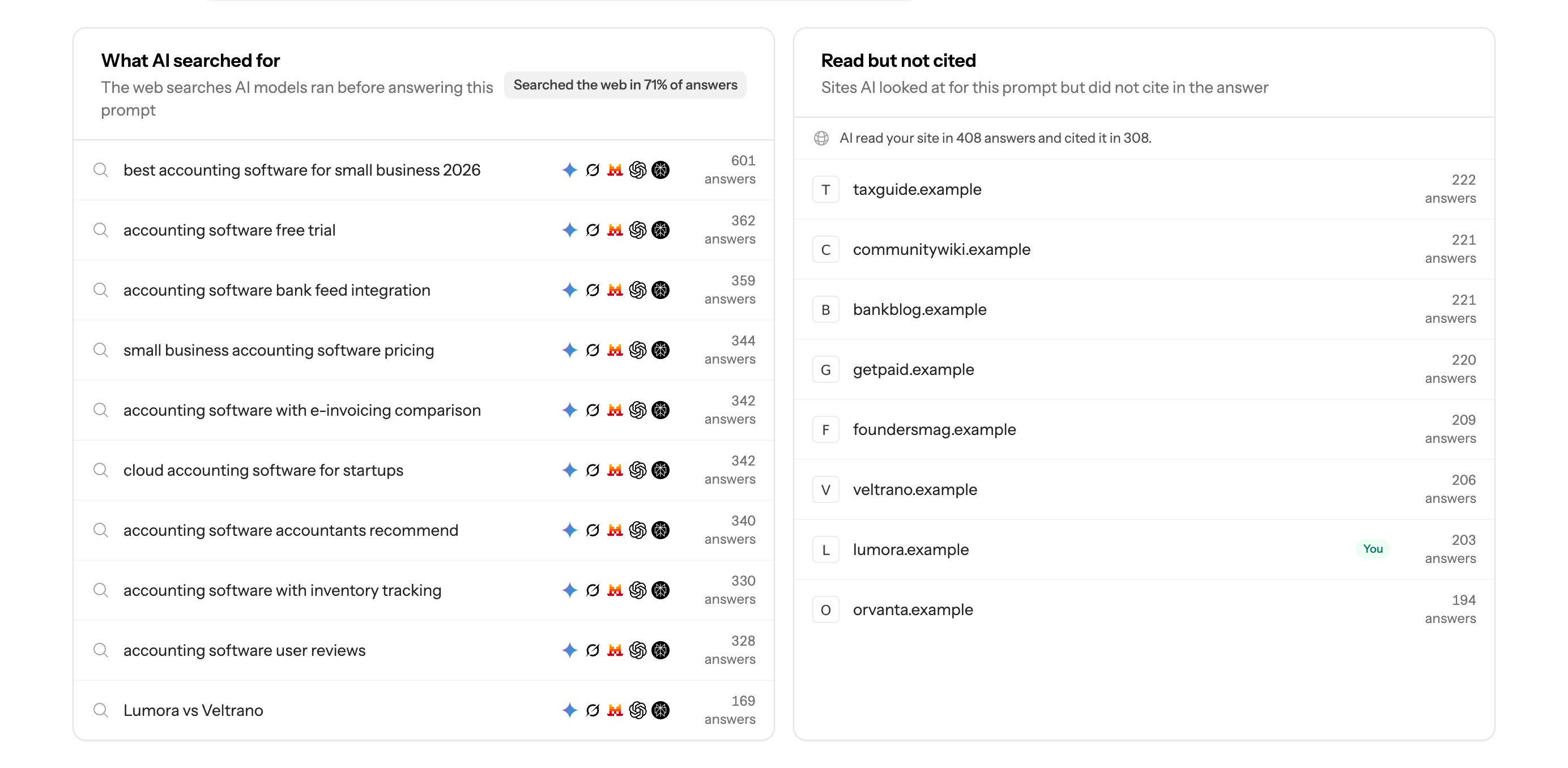
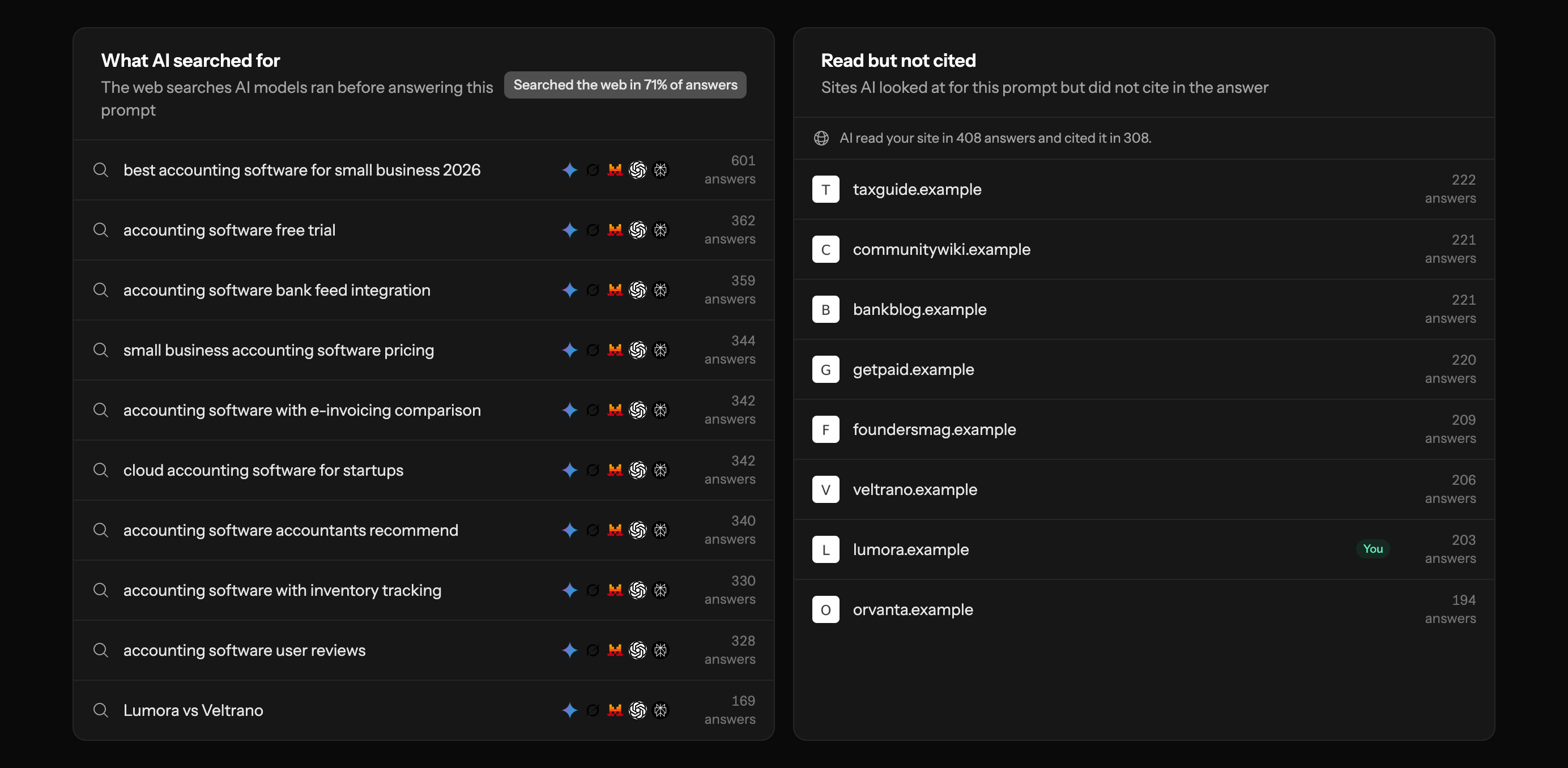
- Open the prompt detail and review What AI searched for alongside Read but not cited to see the searches Brantial observed and the pages considered without a citation.
- Turn the core decision and its related information needs into a fixed group of prompts to track.
- Before changing the page, record the brand’s mentions, citations, answer positions, cited URLs, share of voice, and competitor presence for that group.
- Publish the improved content, then compare the same prompts over consistent periods; inspect which URLs started or stopped appearing as sources.
- If Search Console and GA4 connections are enabled, read search performance, AI referral traffic, and post-click outcomes alongside the visibility change in Brantial.
The result is one measurement path inside Brantial: tracked prompts → source presence → mention and citation change → traffic and outcome. Query fan-out remains the research method used to understand the question; it is not presented as a separate Brantial product.
Common mistakes to avoid
Creating a separate page for every imagined subquery
This produces overlap and thin content. Group related questions by user intent and build the smallest set of pages that can answer them properly.
Treating query fan-out as a hidden keyword list
The generated queries are dynamic and depend on context. A static list cannot reproduce every path. Use fan-out as a research framework, not a promise that a specific phrase will be issued.
Making claims without accessible evidence
A polished summary cannot compensate for missing facts. Dates, methods, definitions, plan limits, and primary sources make a page easier to verify and safer to cite.
Assuming a citation is guaranteed
No content format guarantees inclusion in an AI answer. Search systems change, candidate sources vary, and different prompts can produce different results. The work improves usefulness and eligibility; it does not buy a fixed placement.
Frequently asked questions
Is query fan-out the same as keyword expansion?
No. Keyword expansion usually produces close variants of a phrase for research or targeting. Query fan-out can investigate different subtopics and constraints that are required to answer a broader question.
Does every AI search engine use query fan-out?
Google publicly uses the term for AI Mode and its generative Search features. Other systems may use query decomposition, retrieval, query rewriting, or related techniques, but their implementations should not be assumed to be identical unless the provider documents them.
Can site owners see Google’s fan-out queries in Search Console?
Google does not provide a dedicated Search Console report listing every generated fan-out query. In Brantial, the What AI searched for view can show web searches exposed during supported AI answer runs, while Read but not cited reveals pages the model reviewed without using as a citation. This observed data is useful, but it should not be described as a complete export of every internal Google query.
Should every product page answer every possible subquestion?
No. A page should answer the questions that belong to its purpose. Use supporting documentation, comparison pages, research, and guides for subjects that need more depth, then connect them with clear internal links.
What is the first practical step?
Choose one high-value customer decision, list the questions that would change the answer, and audit whether your site provides a specific and verifiable response to each one. That small exercise is usually more useful than generating hundreds of speculative prompts.